Rewrite it for a different reader: same lesson, easier words
Tell Gemini who the reader is, rewrite a dense paragraph for a new hire and an eighth grader, then check that nothing changed the meaning.
Step 3 of 11 in Choose for the task: lessons, quizzes and slides (Path 03)
Heads up: these screenshots use a personal Google account in Gemini (gemini.google.com) in a web browser on a computer. No subscription.
You've probably got something that's perfectly correct and nobody can read. Maybe it's a policy or a handbook page, and the reader gives up halfway through the first sentence.
This lesson is about keeping the same lesson and changing the words for whoever is reading it. Gemini is good at the first draft. It's less good at noticing when it changed the meaning, so that part is still your job. Same ground rules as Lesson 21: nothing private goes in.
Before you start
Heads up: these screenshots use a personal Google account in Gemini (gemini.google.com) in a web browser on a computer. No subscription.
Practice with a paragraph of your own, as long as you wrote it or it's already public. To follow along exactly, use my sample paragraph (text file). It's a made-up paragraph from an employee handbook about pre-tax benefits.
Screenshots are from October 28, 2026, with an older chat title in the tab row and the chat ID in the address bar blurred. Google moves things around, so yours may not match.
1. Copy the paragraph you want to rewrite
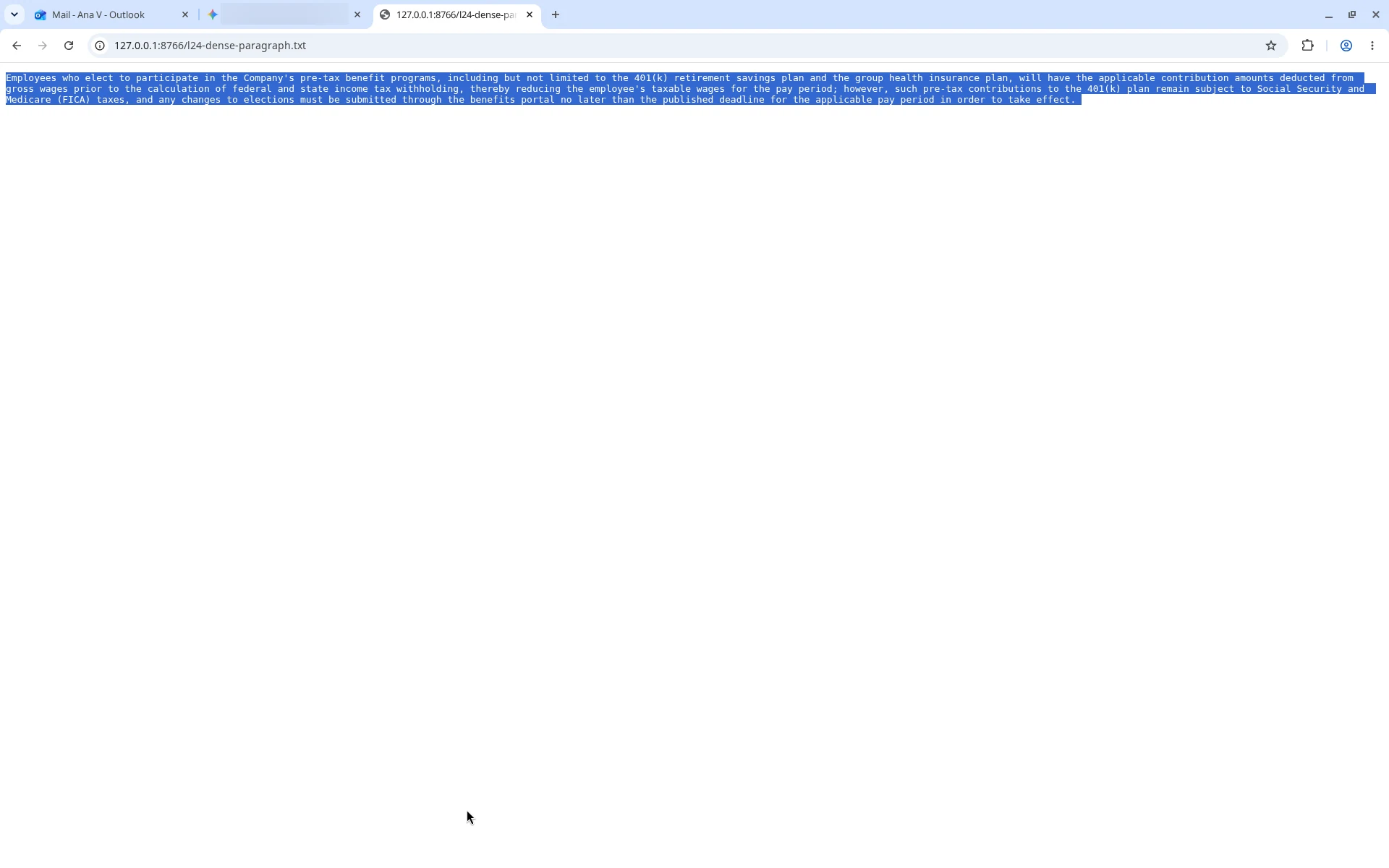
Open the text you want to rewrite and copy the whole paragraph. Mine is one sentence that goes on for six lines.
2. Start a new chat
Go to gemini.google.com and start a new chat.
3. Tell it who the reader is
The most useful thing you can tell Gemini is who's going to read it. I also asked it not to drop any rules.
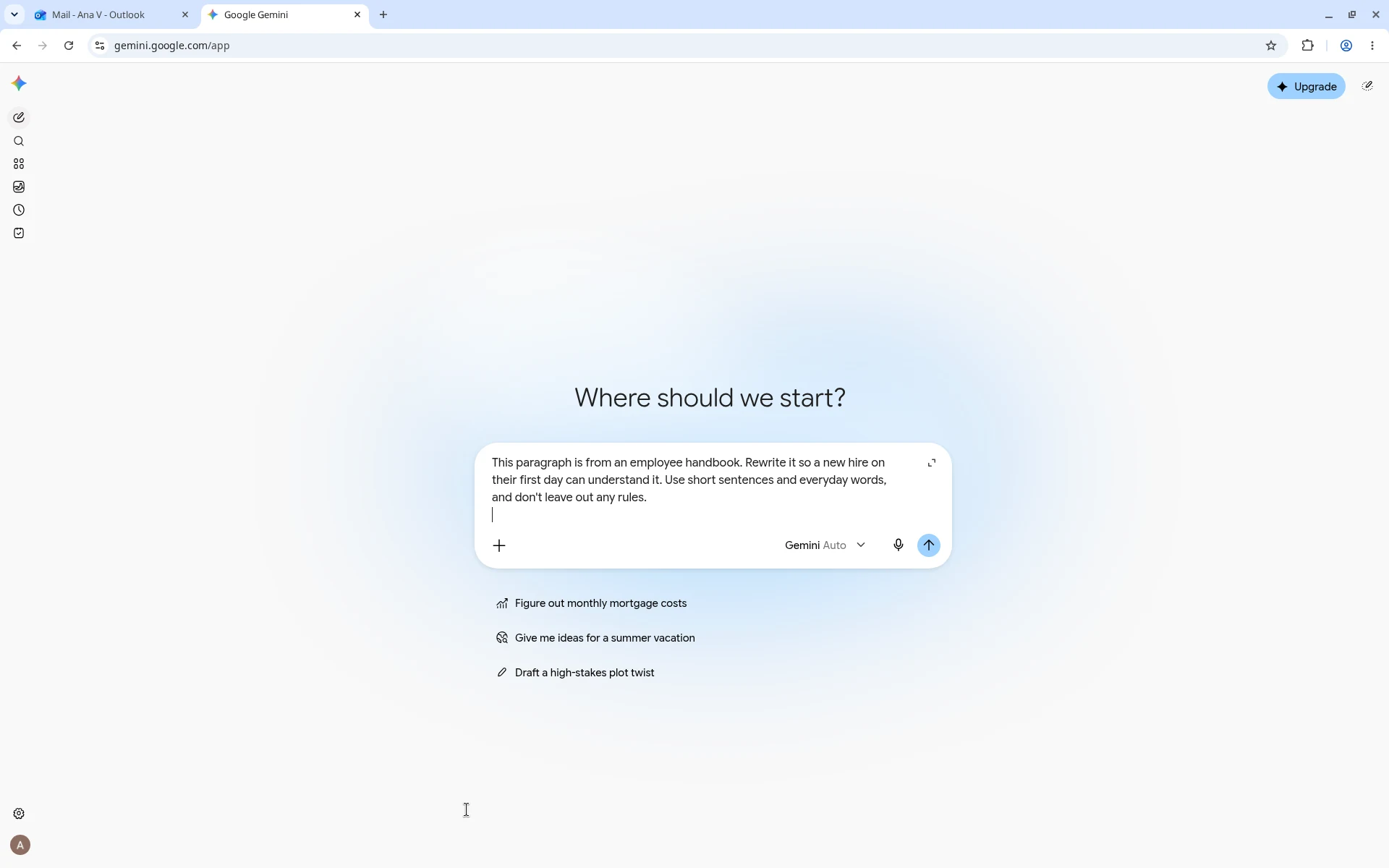
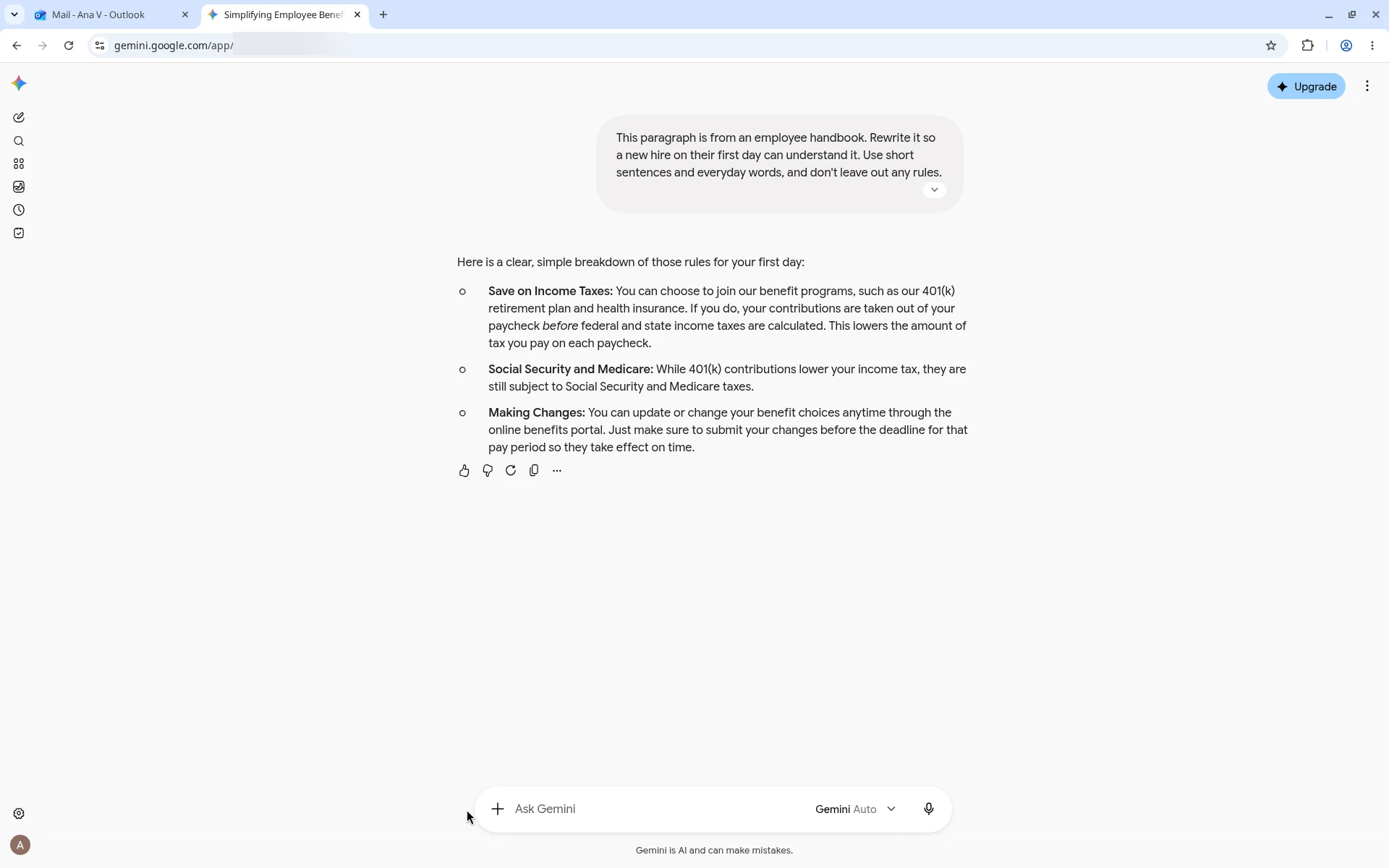
Mine was: "This paragraph is from an employee handbook. Rewrite it so a new hire on their first day can understand it. Use short sentences and everyday words, and don't leave out any rules."
4. Paste the paragraph under it and send
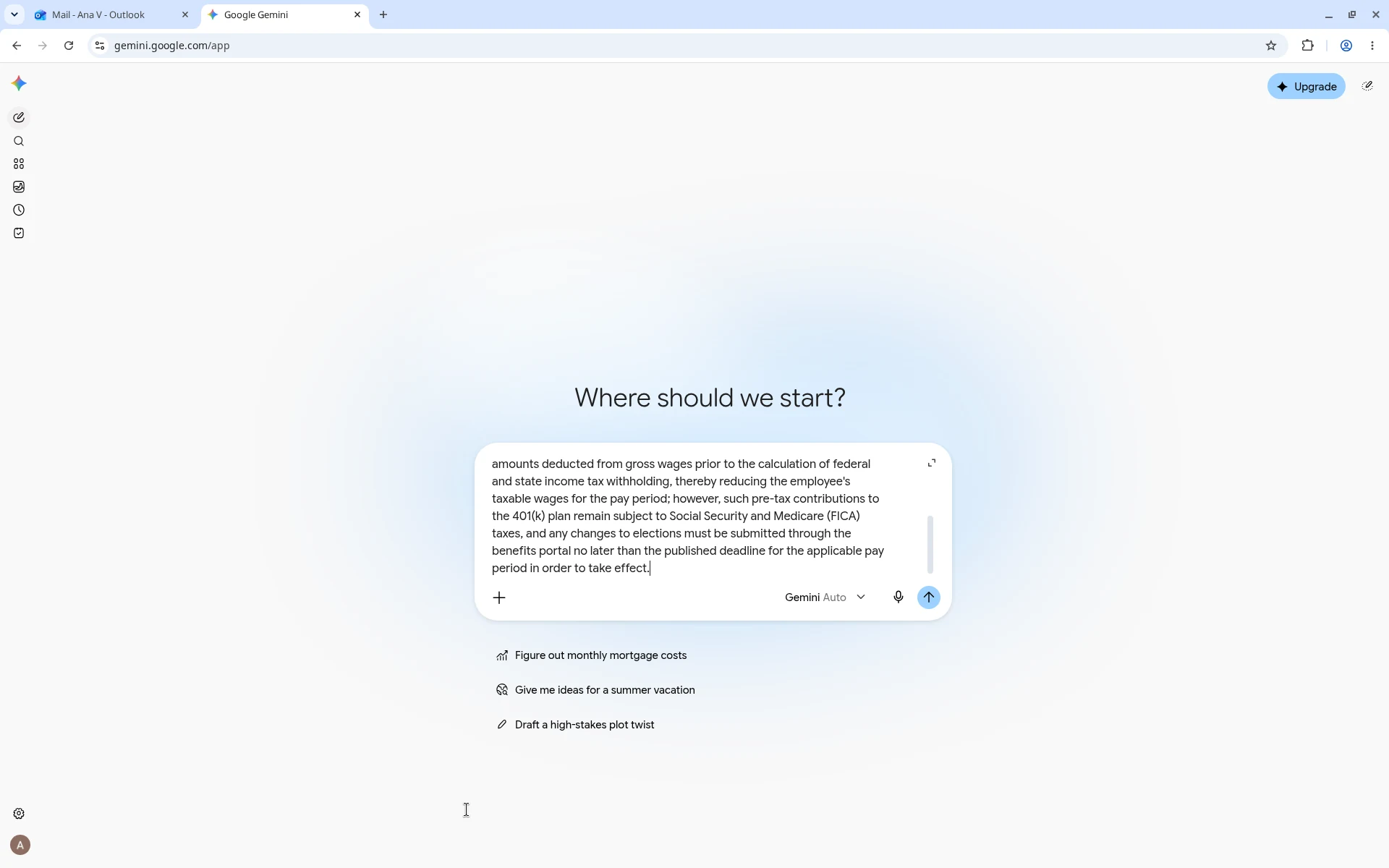
Press Shift+Enter for a new line, paste the paragraph, and click the arrow to send. The box scrolls, so you'll only see the end of the paragraph.
5. Read the new-hire version
Gemini split it into three parts: Save on Income Taxes, Social Security and Medicare, and Making Changes. The chat also gets its own title in the tab, "Simplifying Employee Benef…".
Read it next to the original. The original says changes go through the benefits portal by the deadline, and the new version adds that you can make changes "anytime." That's probably fine, but it's the kind of small word to notice.
6. Ask for a second reader
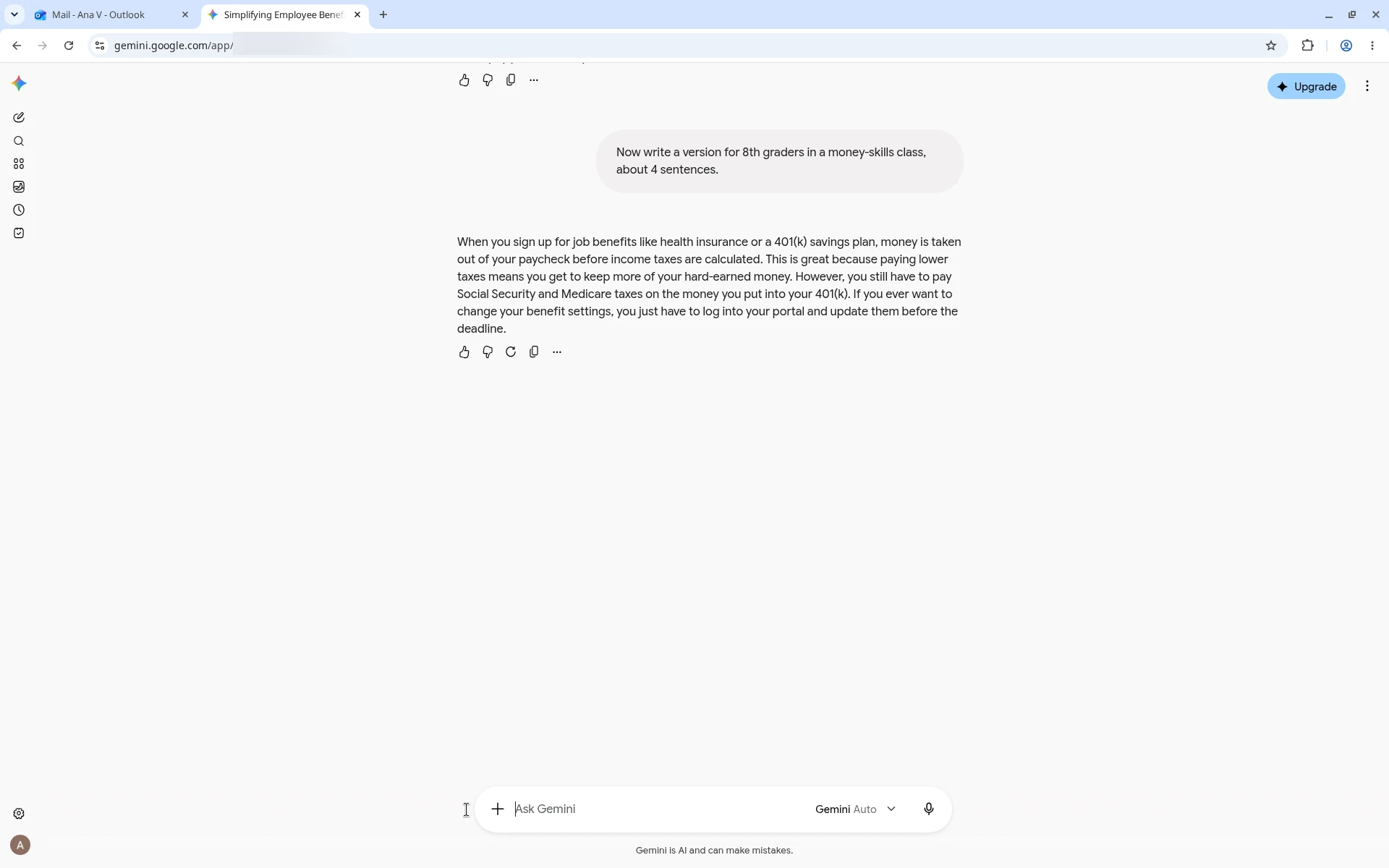
Same chat, new reader. I typed: "Now write a version for 8th graders in a money-skills class, about 4 sentences."
It came back with four sentences that start with "When you sign up for job benefits like health insurance or a 401(k) savings plan…". It reads well, but the second sentence says, "This is great because paying lower taxes means you get to keep more of your hard-earned money."
7. Ask it to compare both versions with the original
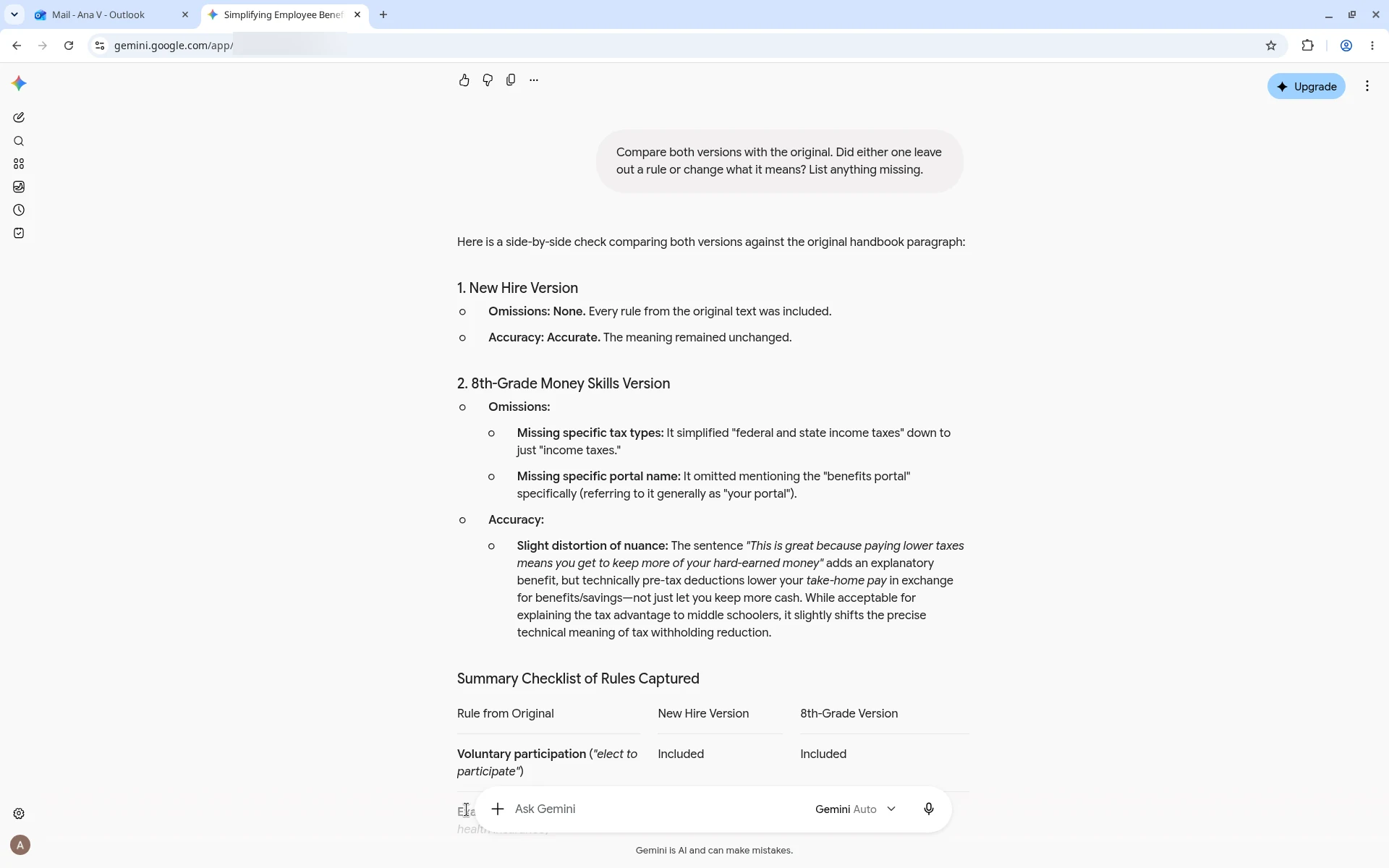
This is the step most people skip. I asked: "Compare both versions with the original. Did either one leave out a rule or change what it means? List anything missing."
Gemini said the new-hire version left nothing out. For the 8th-grade version, it said "federal and state income taxes" got shortened to "income taxes," and "benefits portal" became "your portal." It also called the "keep more of your hard-earned money" line a slight distortion of nuance, because pre-tax deductions lower your take-home pay in exchange for benefits and savings. They don't just leave you with more cash.
That's the kind of thing that slips through, because it sounds friendly and true and it's a little bit wrong.
8. Look at the checklist, then check it yourself
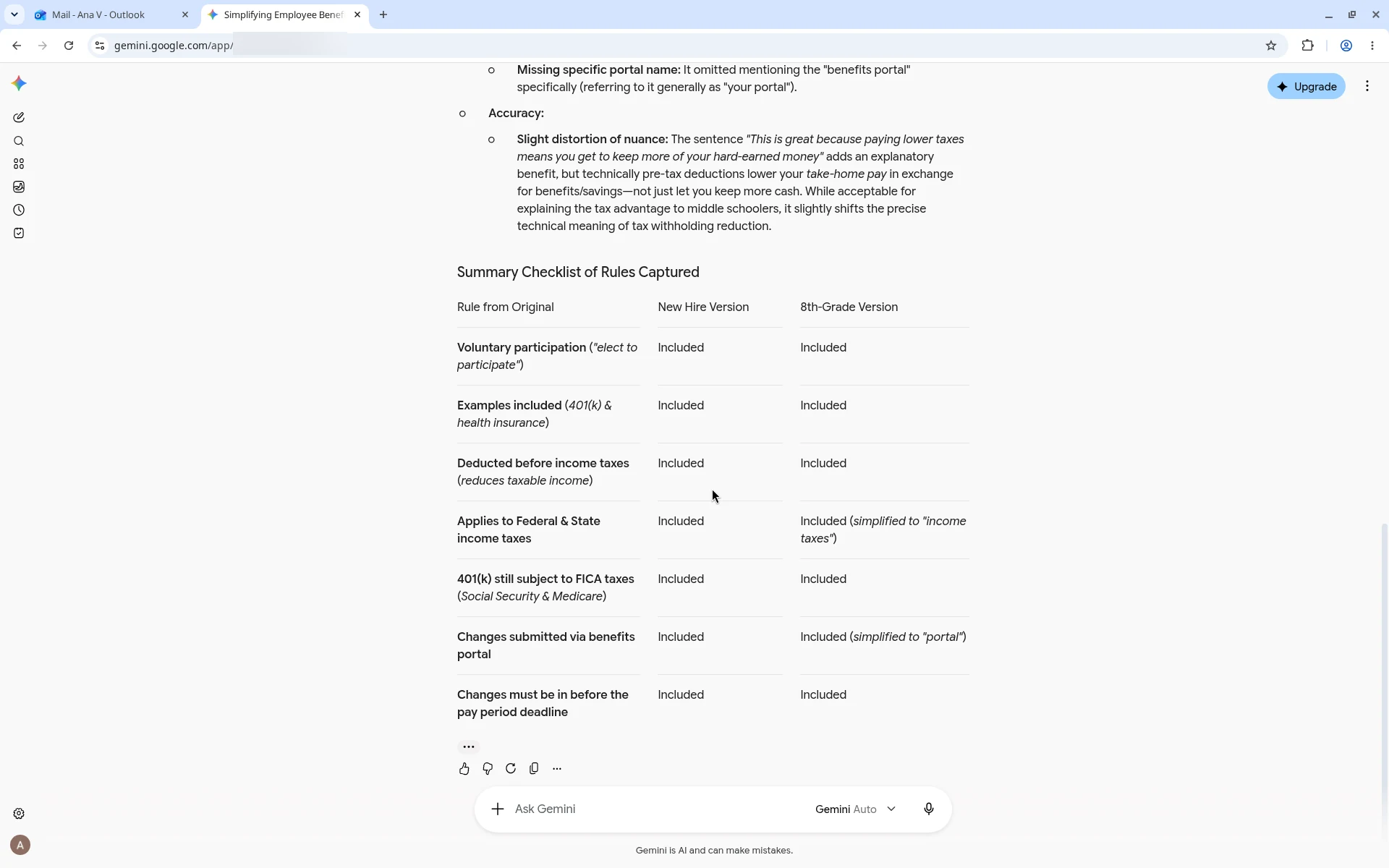
Scroll down and there's a Summary Checklist of Rules Captured table.
It's a handy list, but it's a helper, not proof. Gemini is checking its own homework, and it marked "Changes submitted via benefits portal" as Included for the new-hire version without mentioning that "anytime" from step 5. So read the original yourself, one rule at a time, and tick them off. It takes two minutes, which is less time than most meetings spend deciding when the next meeting is.
9. Pick the version you'd say out loud
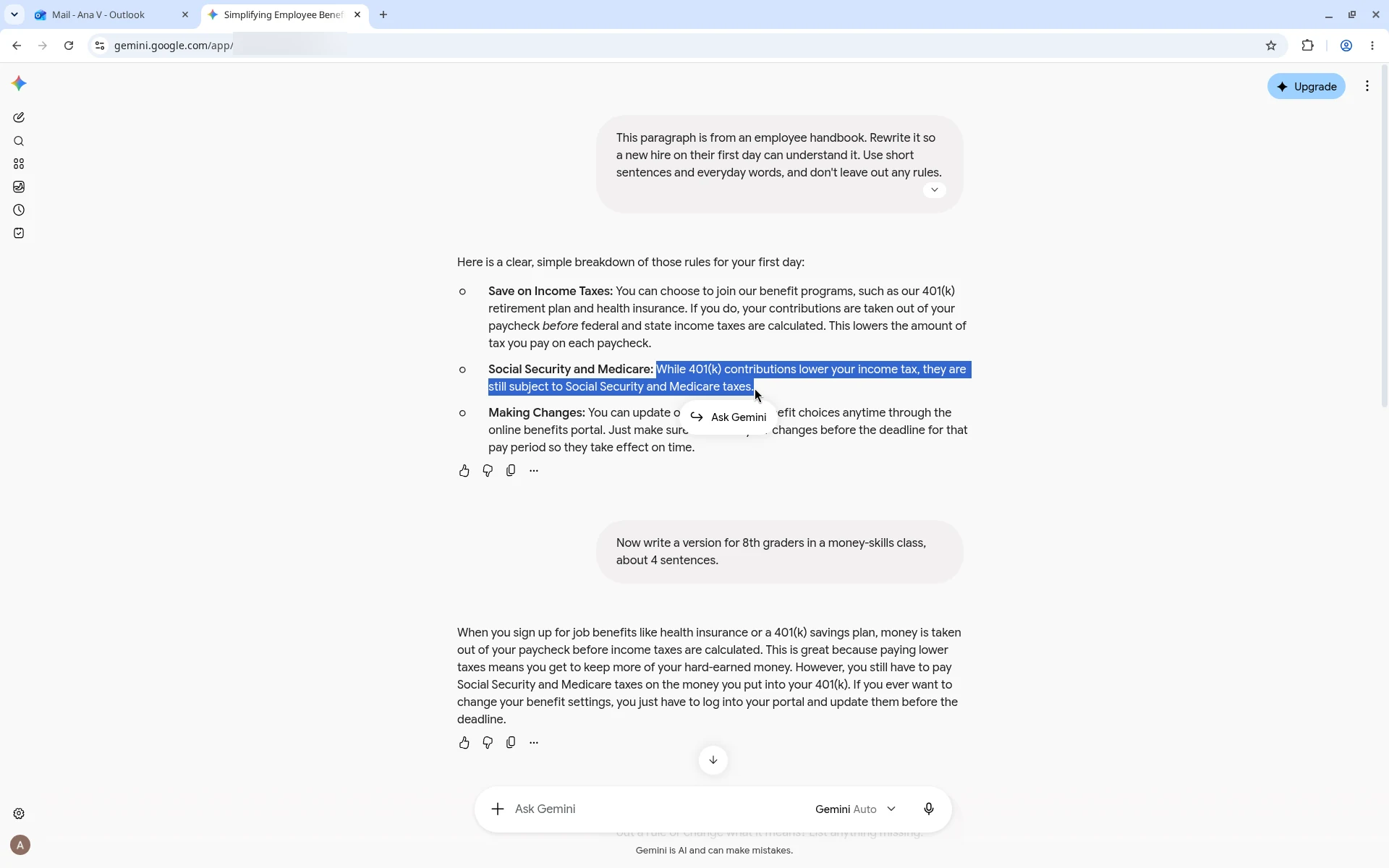
Go back up to the version you like best. If you select a sentence, a small Ask Gemini button pops up so you can ask about just that part.
The version to keep is the one you'd actually say to the person in front of you. For my 8th graders, I'd keep the four sentences but replace the "hard-earned money" line with something I'd really say, like "less tax comes out now, but that money goes to your savings or your health plan instead of your pocket."
10. Copy it and make it yours
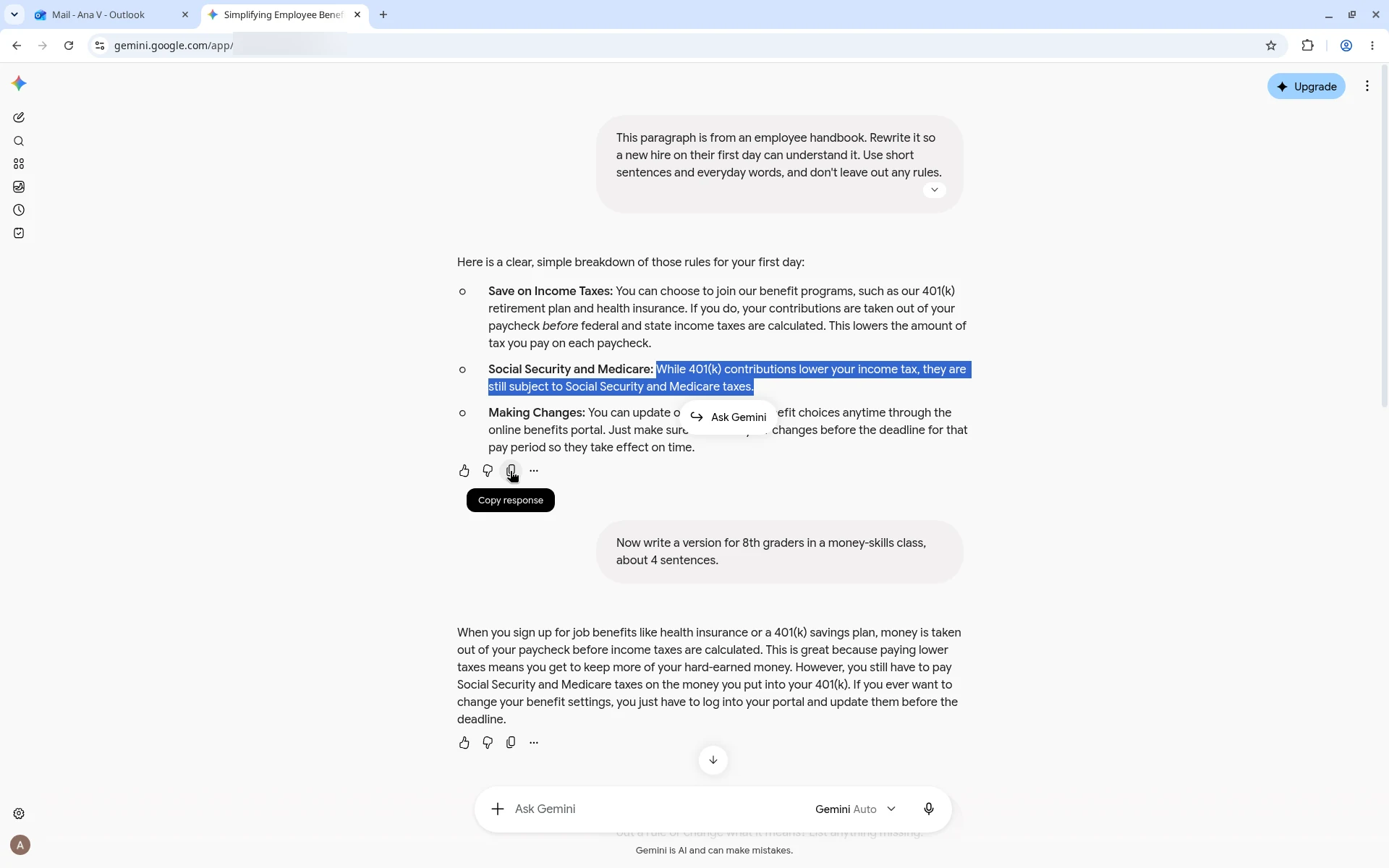
Under the answer, the copy icon says Copy response when you hover over it. Click it, paste the text into your own document, and rewrite it in your words. Fix anything you caught in step 8 and read it out loud once.
Fine and not fine
These are fine:
- Rewriting something you wrote, or something that's already public, for a different reader.
- Asking for two or three versions for different groups.
These are not fine:
- Handing out a rewrite without checking every rule against the original yourself.
- Pasting in student records, names or anything private (see Lesson 21).
- Keeping a friendly sentence that changes what the rule means.
At work
At work: if you sign in with a school or work Google account, Gemini for Education looks the same as these screens, but your IT team has to turn it on first. The Lesson 21 rule still applies, so don't paste in student records.
At work: plain language isn't just nicer to read. It matters for accessibility too. Lesson 29 covers more on that.
Check that you've got it
- You told Gemini who the reader is, not just "make it simpler."
- You asked it to compare the rewrite with the original.
- You read the original yourself and checked every rule.
- You caught anything that sounds nice but changes the meaning.
- The version you kept is in your own words.
Let’s learn together.
Comments are reviewed by Ana before they appear. Please use fictional examples and leave workplace details out.
Loading approved comments…