Make a rubric and a self-check checklist with Gemini
Get a first-draft rubric from Gemini, turn it into a self-check checklist, send it to Google Docs and swap the brackets for real checkboxes.
Step 9 of 11 in Choose for the task: lessons, quizzes and slides (Path 03)
Heads up: these screenshots use a personal Google account in Gemini (gemini.google.com) in a web browser on a computer. No subscription.
Nobody went into teaching or training because they couldn't wait to write rubrics. If you're not sure how you feel about AI helping with that part, that's okay. It's a tool, like Word or Excel, and it can get you a first draft so you're not staring at an empty table. You still decide what good work looks like, and you do the writing that matters.
In this lesson we'll ask Gemini for a simple rubric, turn it into a checklist learners can use on their own work, and send that to Google Docs. Same ground rule as Lesson 21: nothing private goes in.
Before you start
Heads up: these screenshots use a personal Google account in Gemini (gemini.google.com) in a web browser on a computer. No subscription.
Practice with an assignment of your own, like a short talk or a worksheet. I used a made-up one where new hires explain their own paycheck stub to the group in two minutes.
Screenshots are from October 28 and 29, 2026, with other notebook and deck titles in the tab row and the chat and document IDs in the address bar blurred. Google moves things around, so yours may not match.
1. Start a new chat
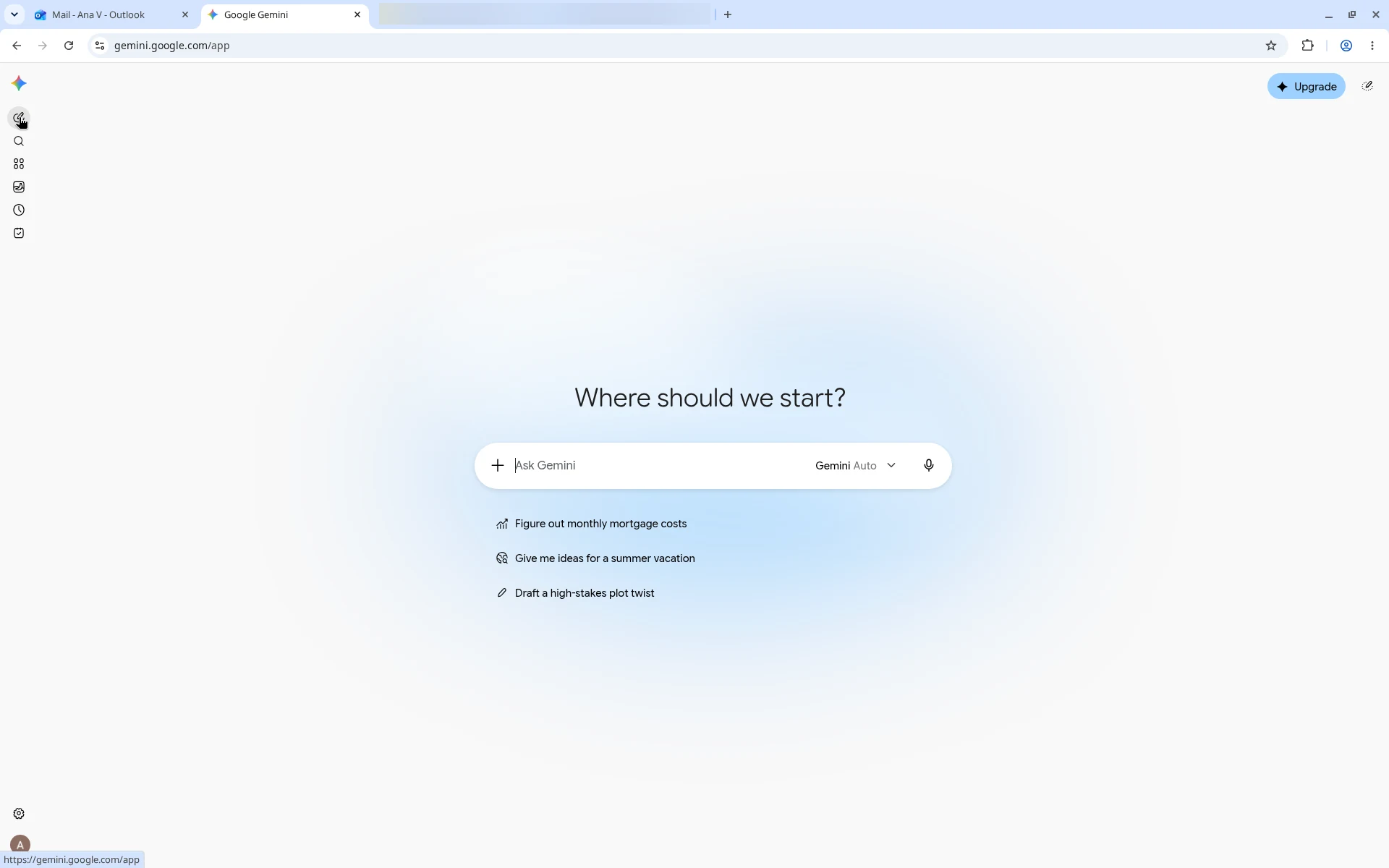
Go to gemini.google.com and click the pencil icon (New chat) at the top left.
2. Ask for a rubric
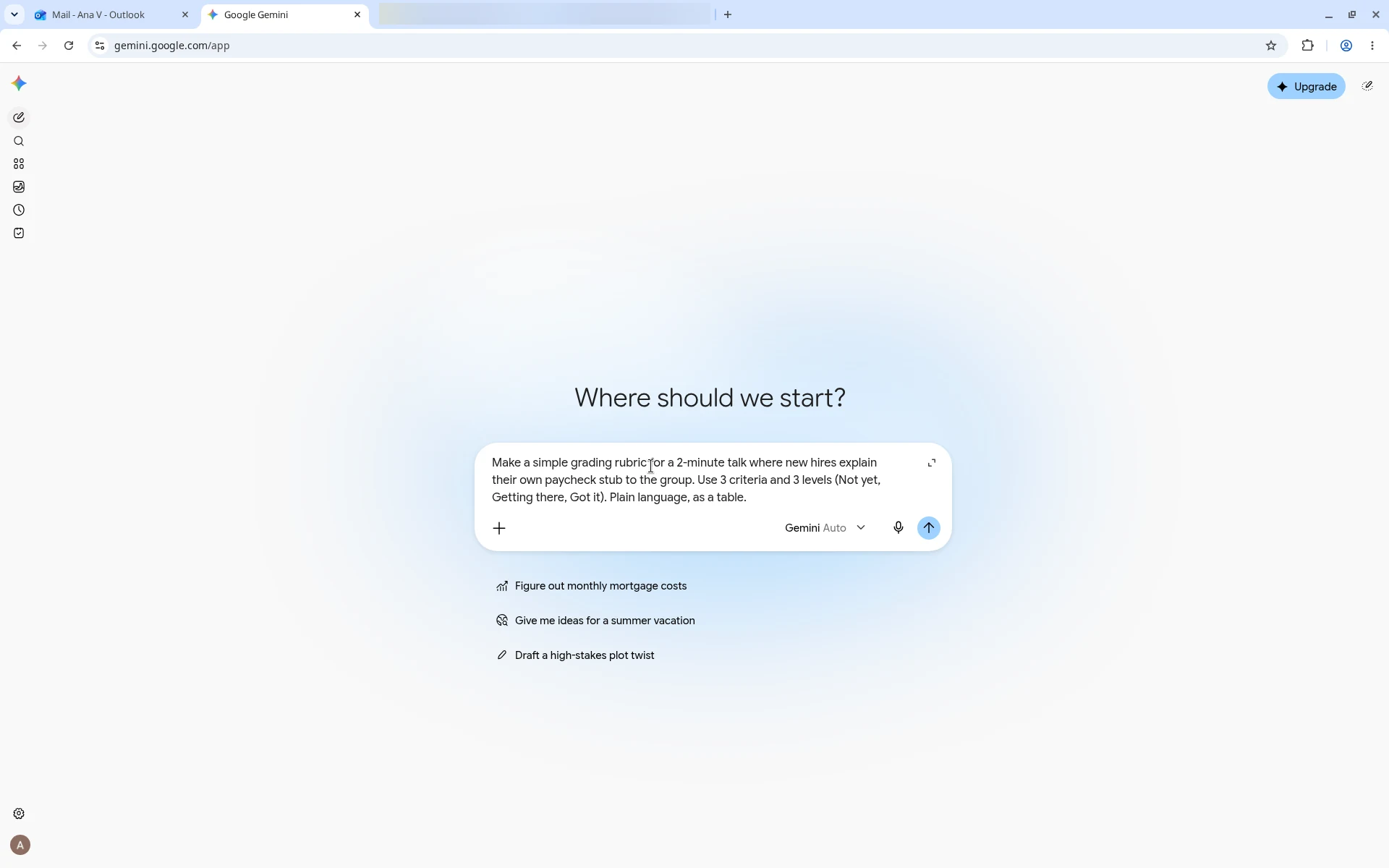
A rubric is just a table of what good looks like. Tell Gemini what the assignment is, how many criteria and levels you want, and that you'd like a table. Here's what I typed:
"Make a simple grading rubric for a 2-minute talk where new hires explain their own paycheck stub to the group. Use 3 criteria and 3 levels (Not yet, Getting there, Got it). Plain language, as a table."
Swap in your own assignment, then press Enter.
3. Read the rubric like a teacher
Gemini came back with "Paycheck Stub Presentation Rubric," with three criteria: "Explanation of Key Parts," "Clarity & Audience Focus" and "Timing & Organization."
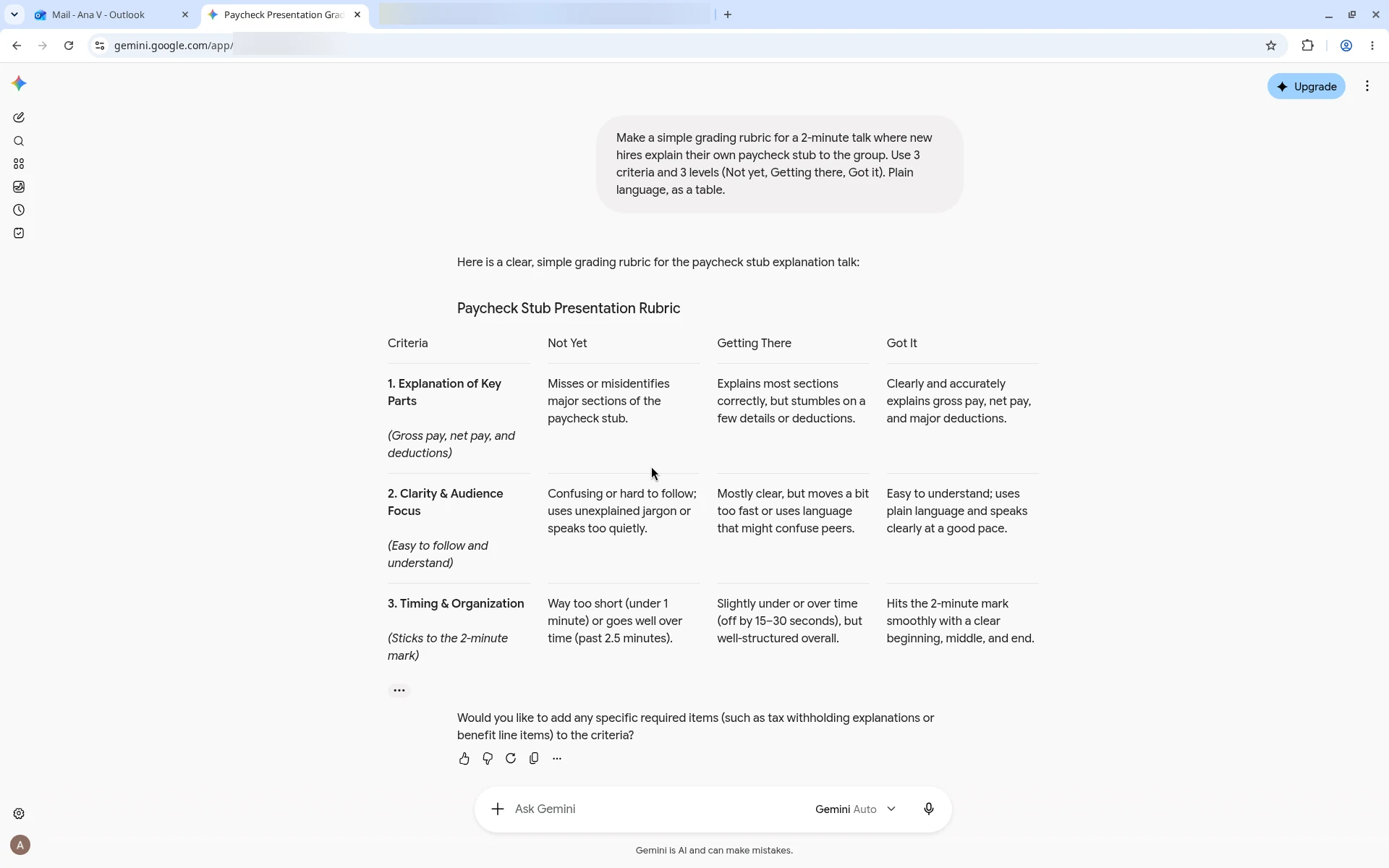
It's a decent start, but read every box. If these aren't the things you care about, write your own criteria. Then check that the levels match what you teach. "Not Yet" for the first criterion says "Misses or misidentifies major sections of the paycheck stub," and "Got It" says "Clearly and accurately explains gross pay, net pay, and major deductions." If your class never covered deductions, that "Got It" isn't fair yet.
Also add a line telling people to keep their real details out of their talk.
4. Ask for friendlier wording
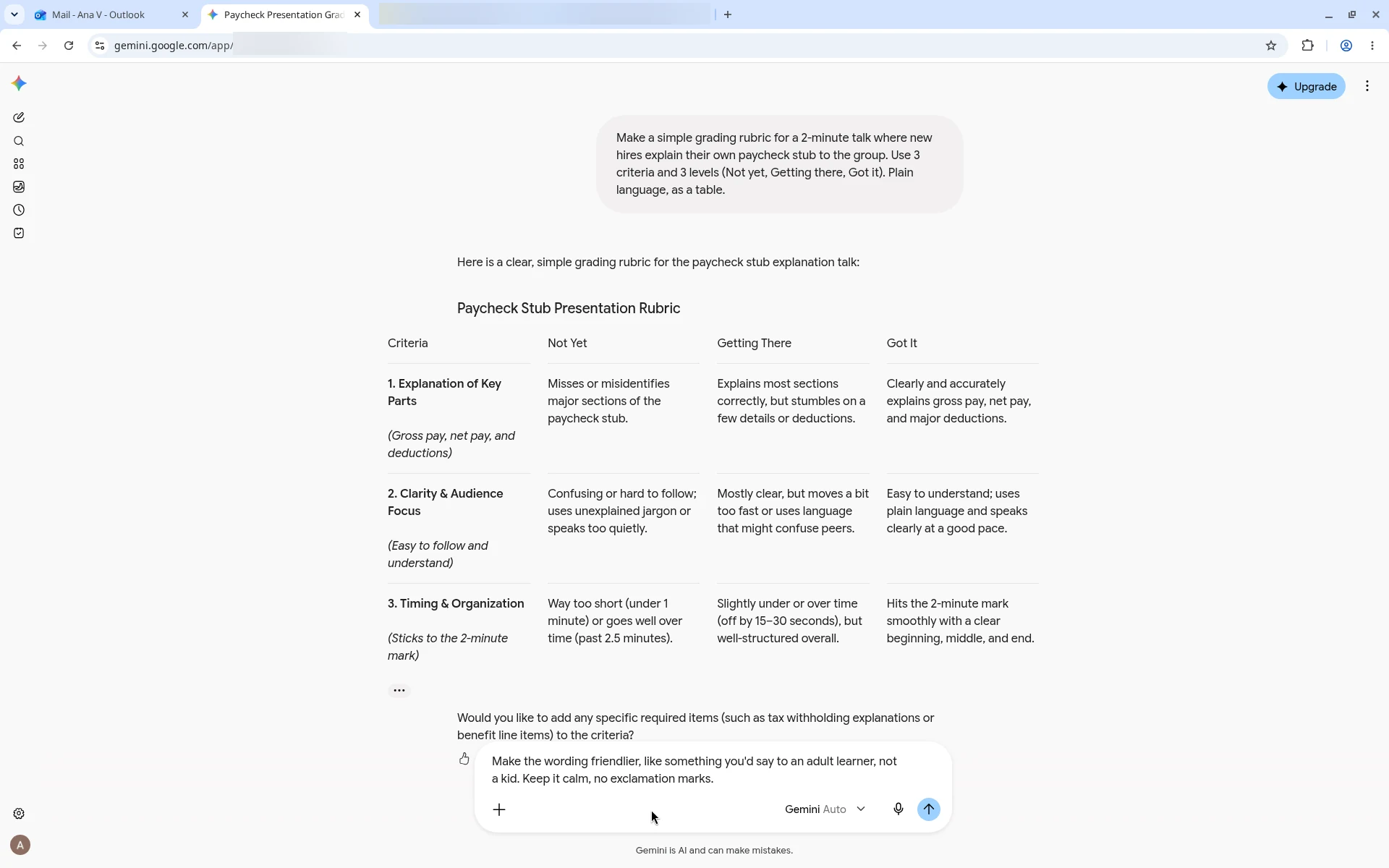
Then I asked for a softer tone:
"Make the wording friendlier, like something you'd say to an adult learner, not a kid. Keep it calm, no exclamation marks."
5. When the answer comes out as a jumble
This time I got a box of symbols, starting with "| Criteria | Not Yet | Getting There | Got It |" and some dashes. That's the table's raw code showing instead of the table.
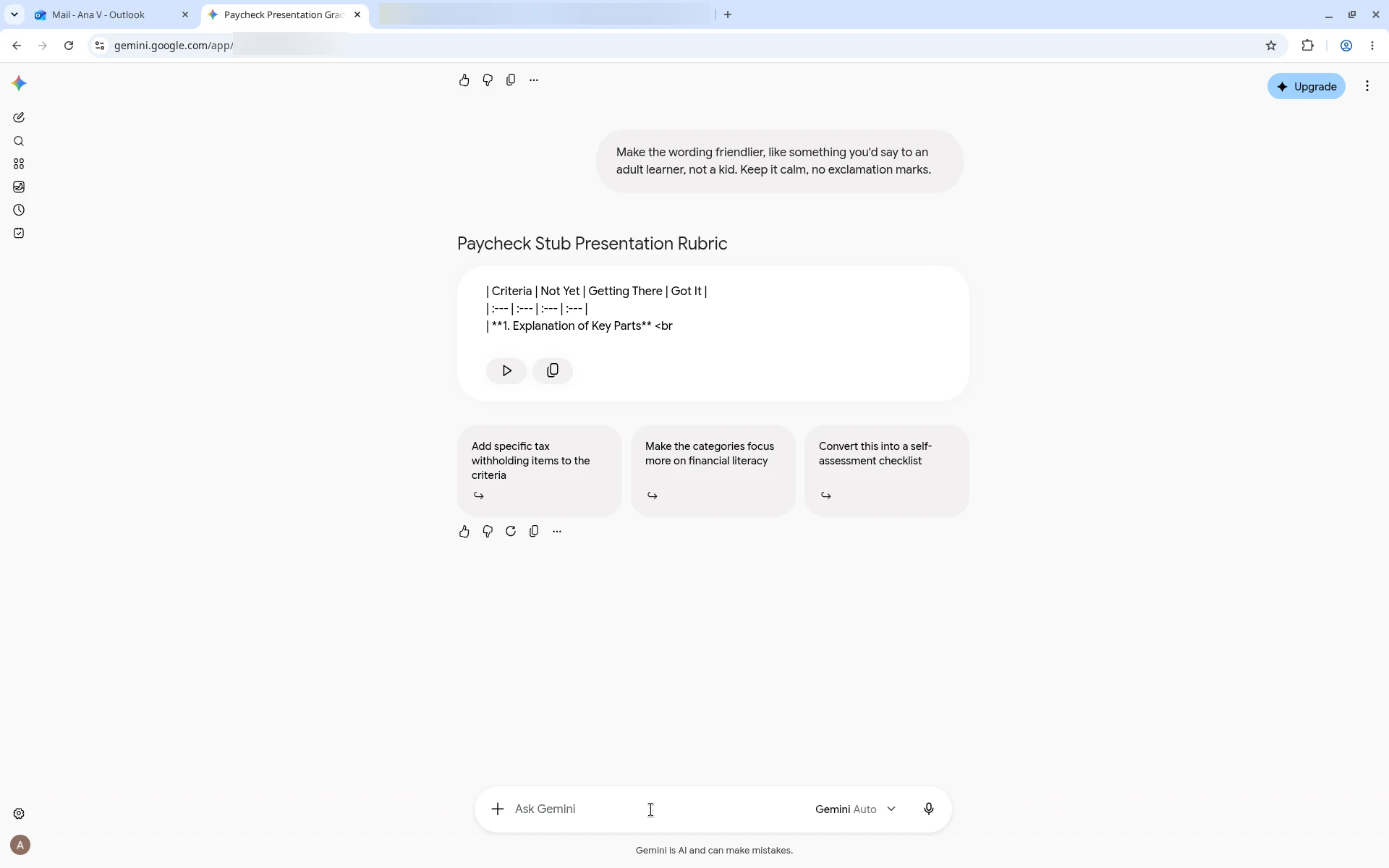
It happens sometimes, and it's not your fault. Under the answer there's a Redo button (the circle arrow). Click it and you'll see Longer, Shorter, Don't personalize and Try again. I clicked Try again.
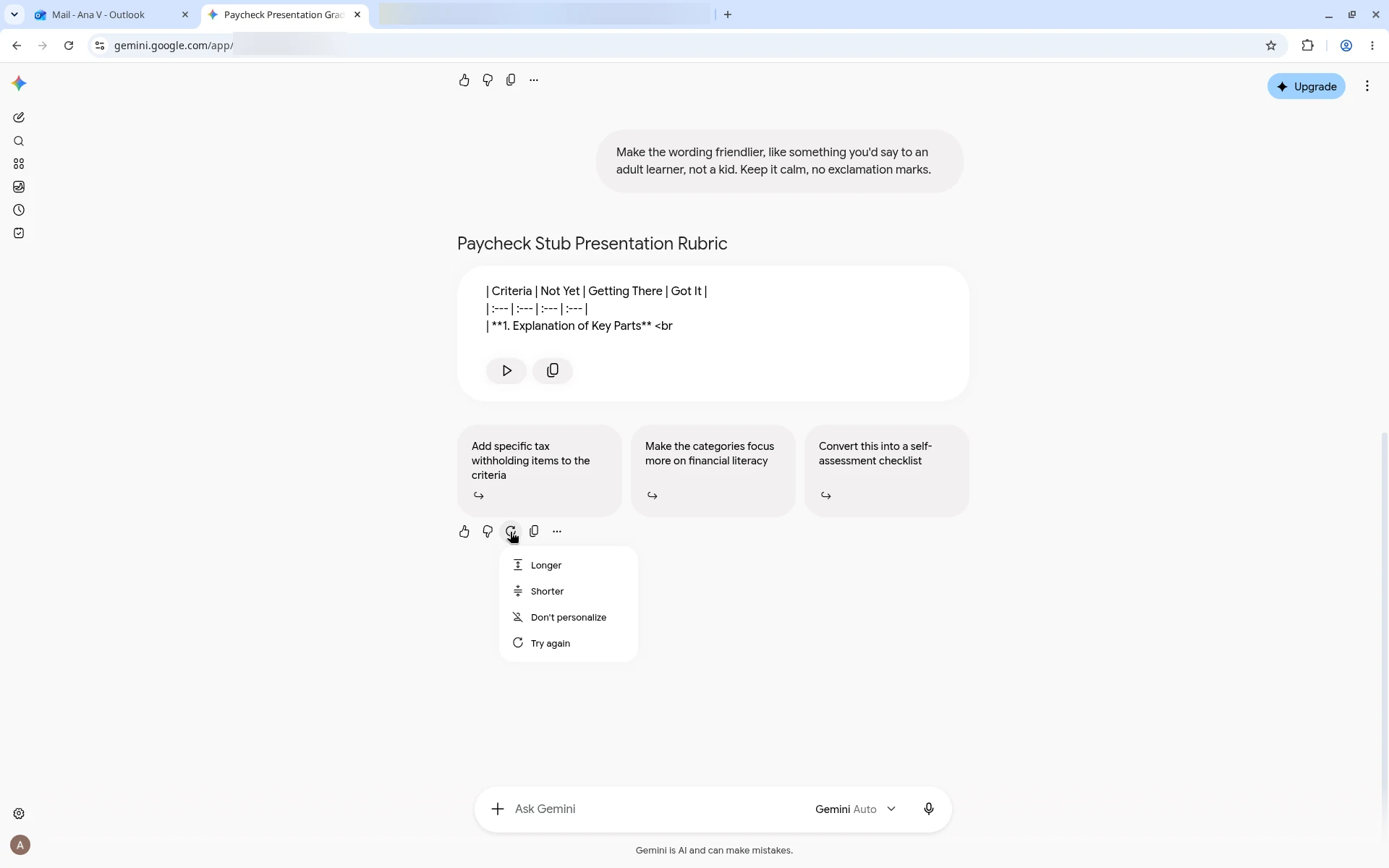
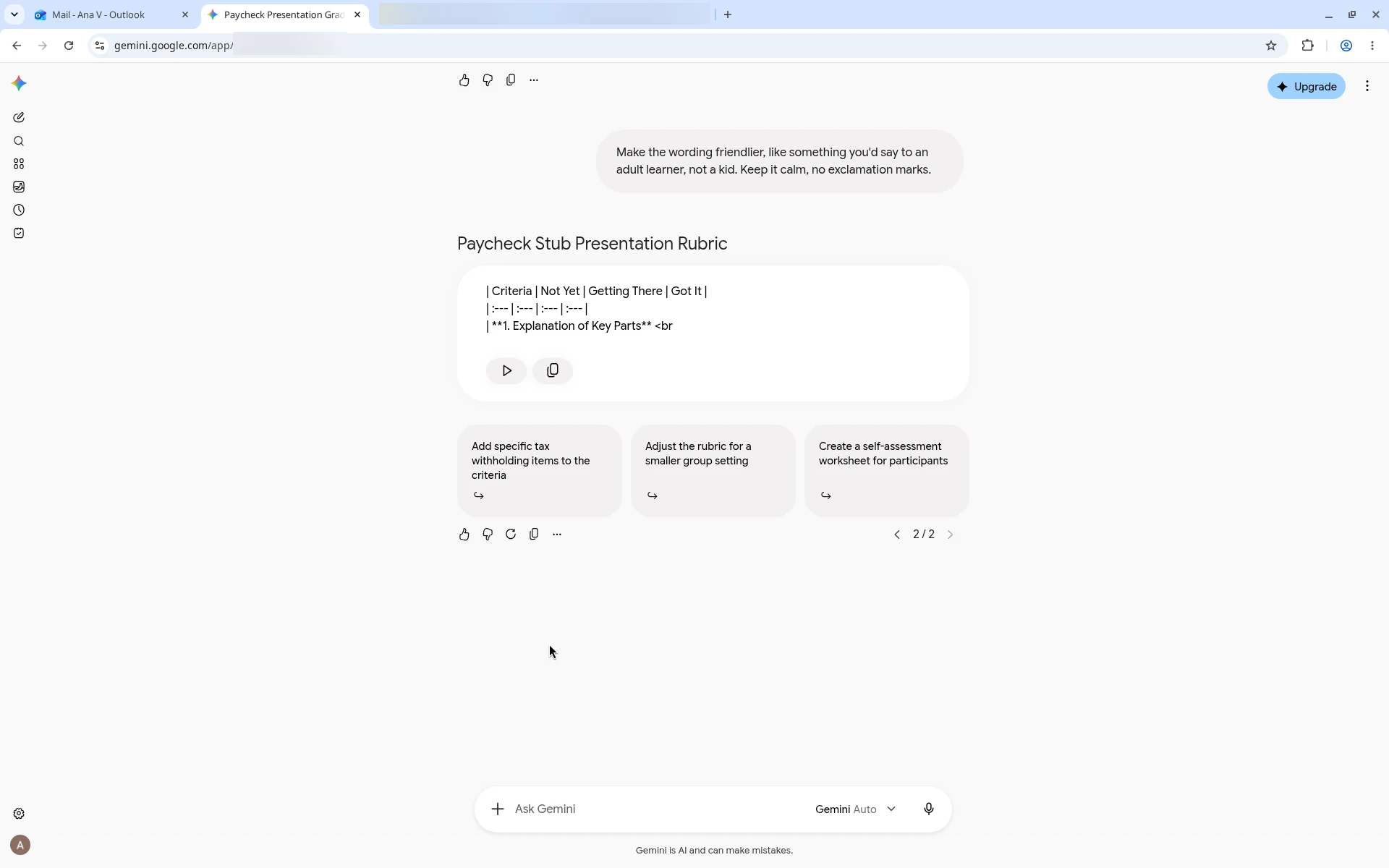
The new answer, marked "2 / 2," came out jumbled the same way.
If Try again doesn't fix it, ask again in plain words, something like "Please show that as a normal table." I didn't try that in this recording, so I can't promise it works.
6. Turn it into a self-check checklist
A rubric is for you. A checklist is for your learners to check their own work before they present. I typed:
"Now turn this into a short checklist people can use to check their own talk before they present."
Gemini gave me "Pre-Presentation Checklist" with three items: "Covered the core numbers," "Kept it simple" and "Checked the time."
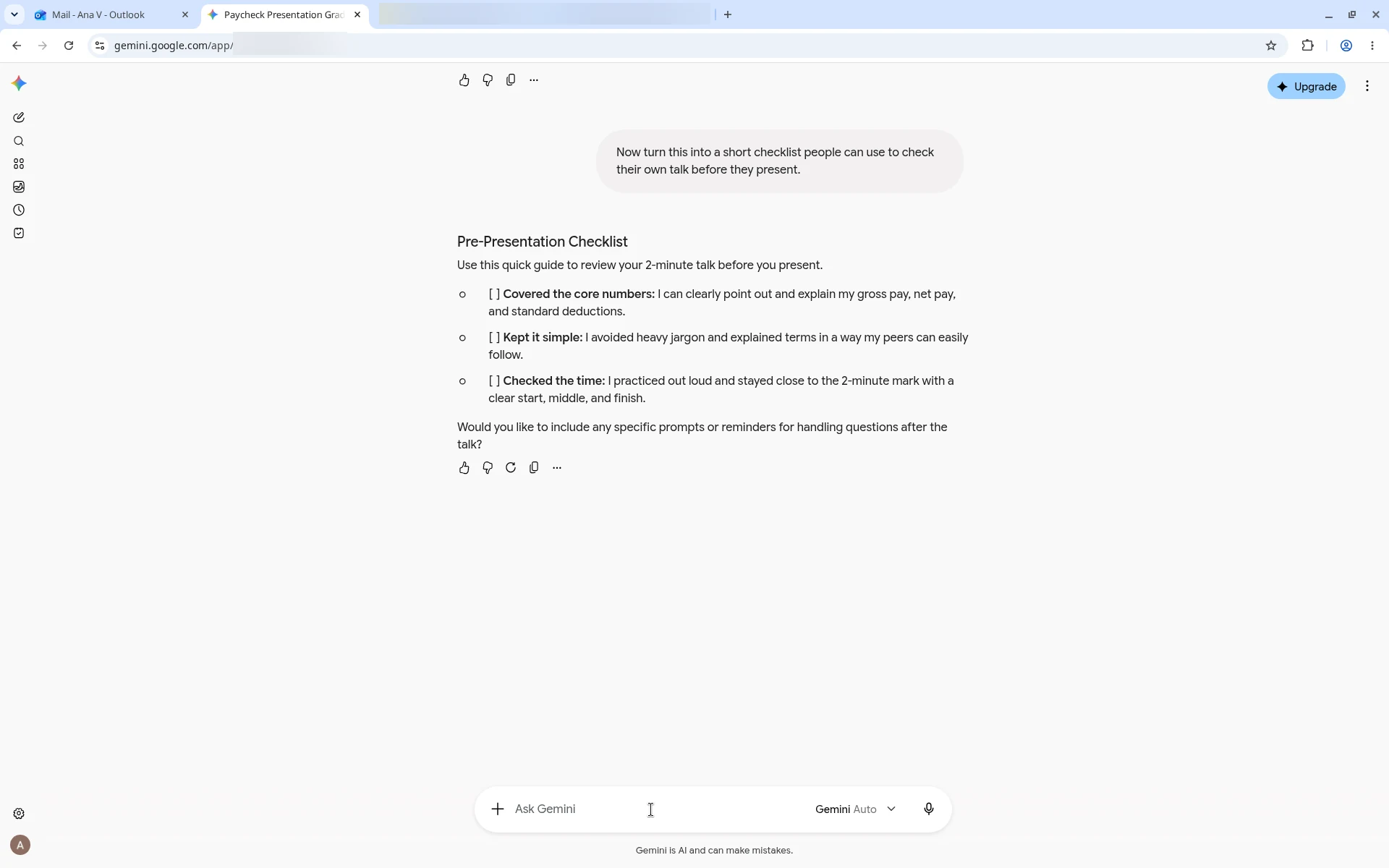
Notice the "[ ]" at the start of each item. The square brackets are Gemini's way of faking tick boxes, and we'll swap them for real ones in Docs.
"Covered the core numbers" mentions gross pay, net pay and deductions, so remind people they don't have to show their own amounts.
7. Send it to Google Docs
Under the checklist, click the three dots (Show more options). Click Export to Docs.
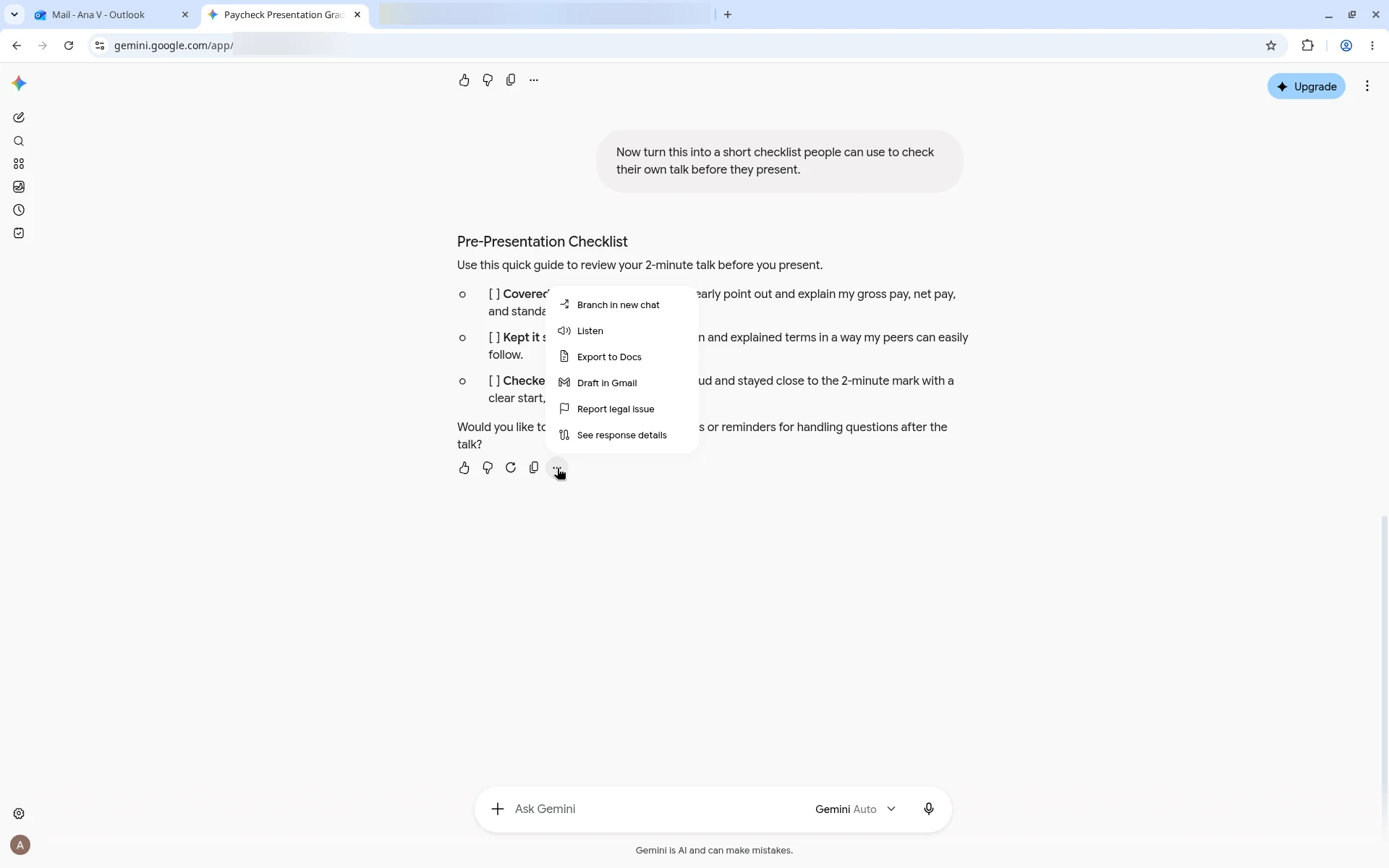
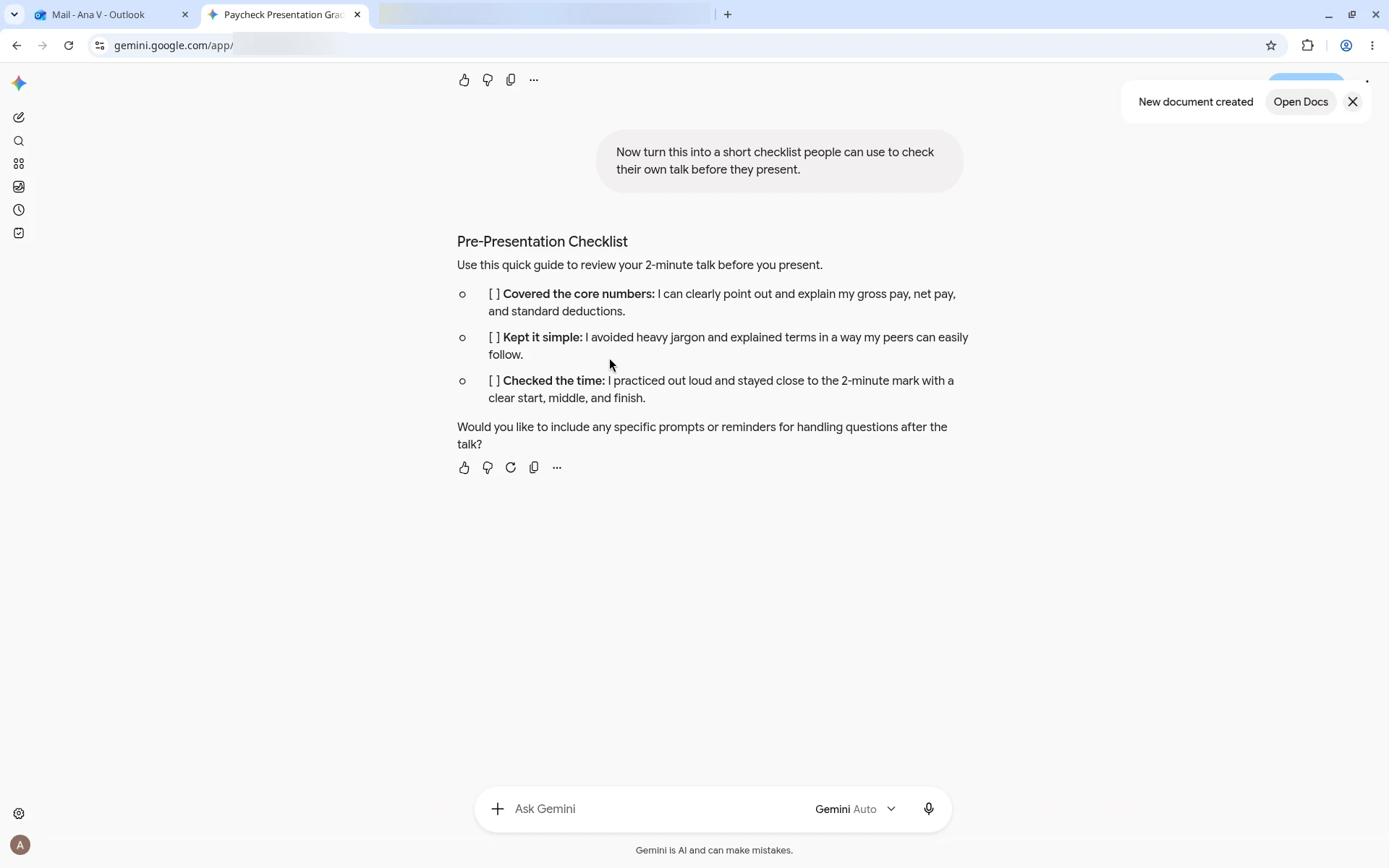
A message in the top right says "Creating document..." for a moment, then "New document created." Click Open Docs.
8. Rename the document
The checklist opens in Google Docs in a new tab and is saved to your Google Drive.
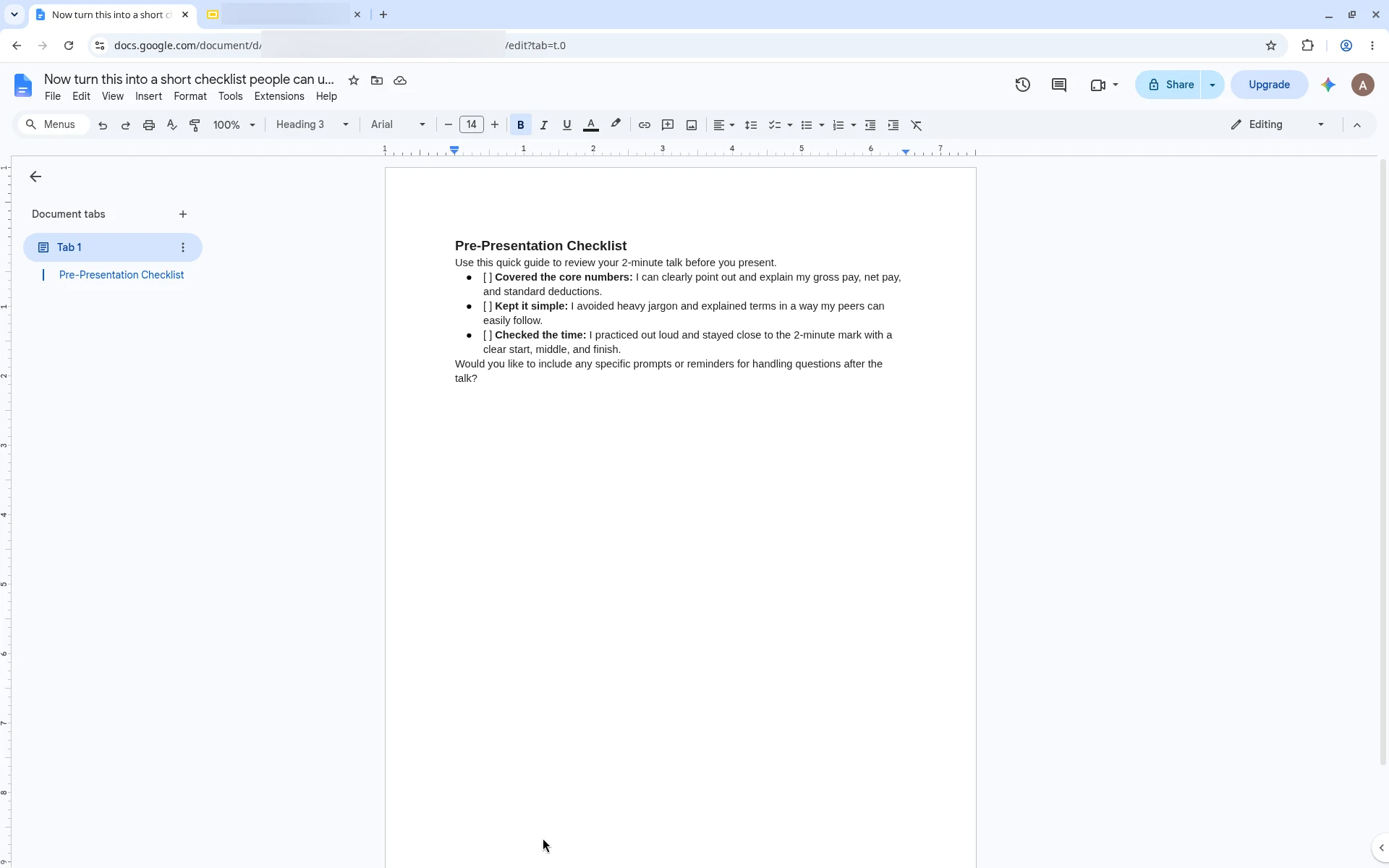
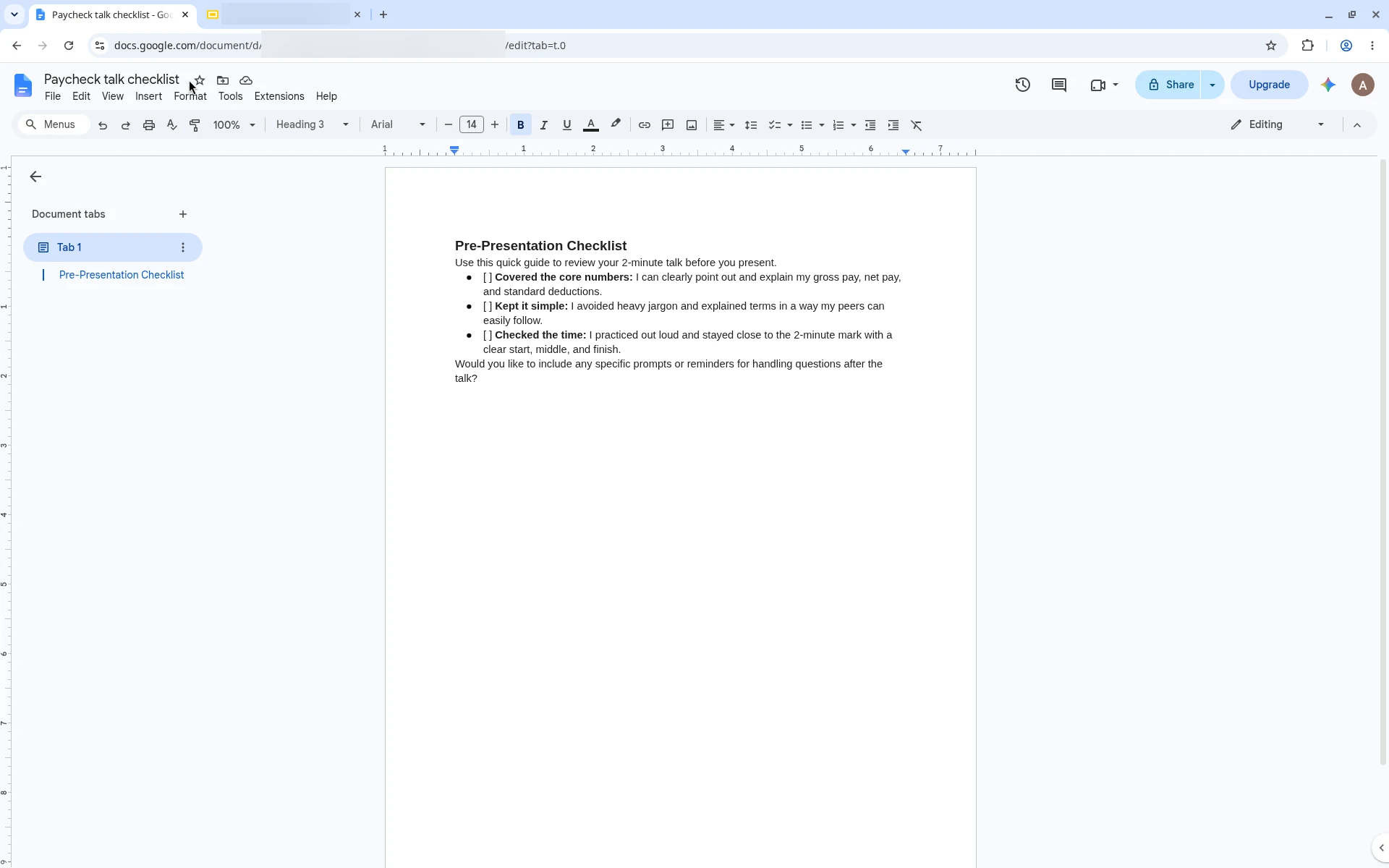
Gemini named the document after the start of my prompt. Click the title at the top left, type a real name like "Paycheck talk checklist," and press Enter.
9. Swap the brackets for real checkboxes
First, remove the brackets. Click Edit, then Find and replace.
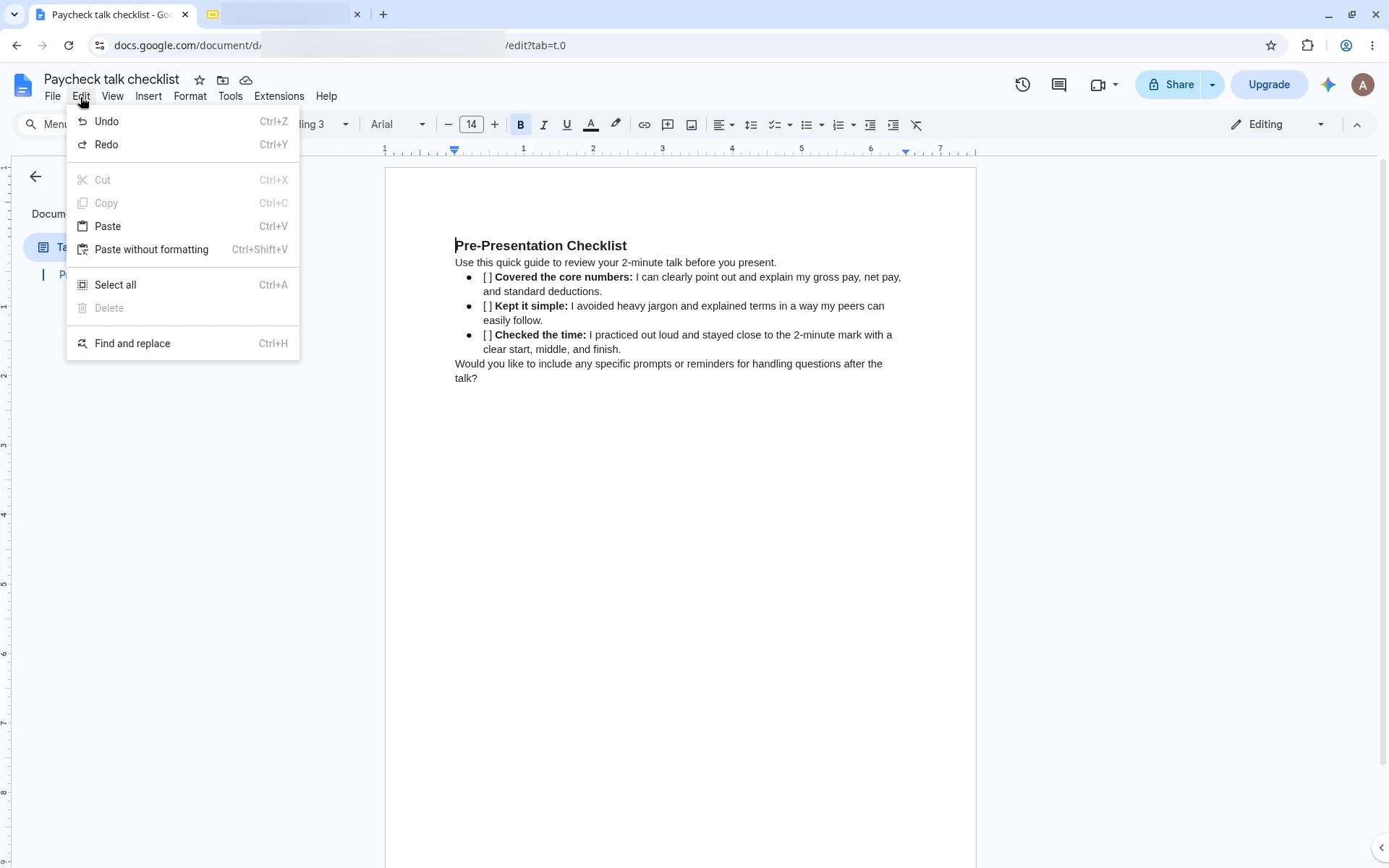
In Find, type "[ ]" followed by a space, and leave Replace with empty. It says "1 of 3." Click Replace all, and it changes to "0 of 0." Close the box.
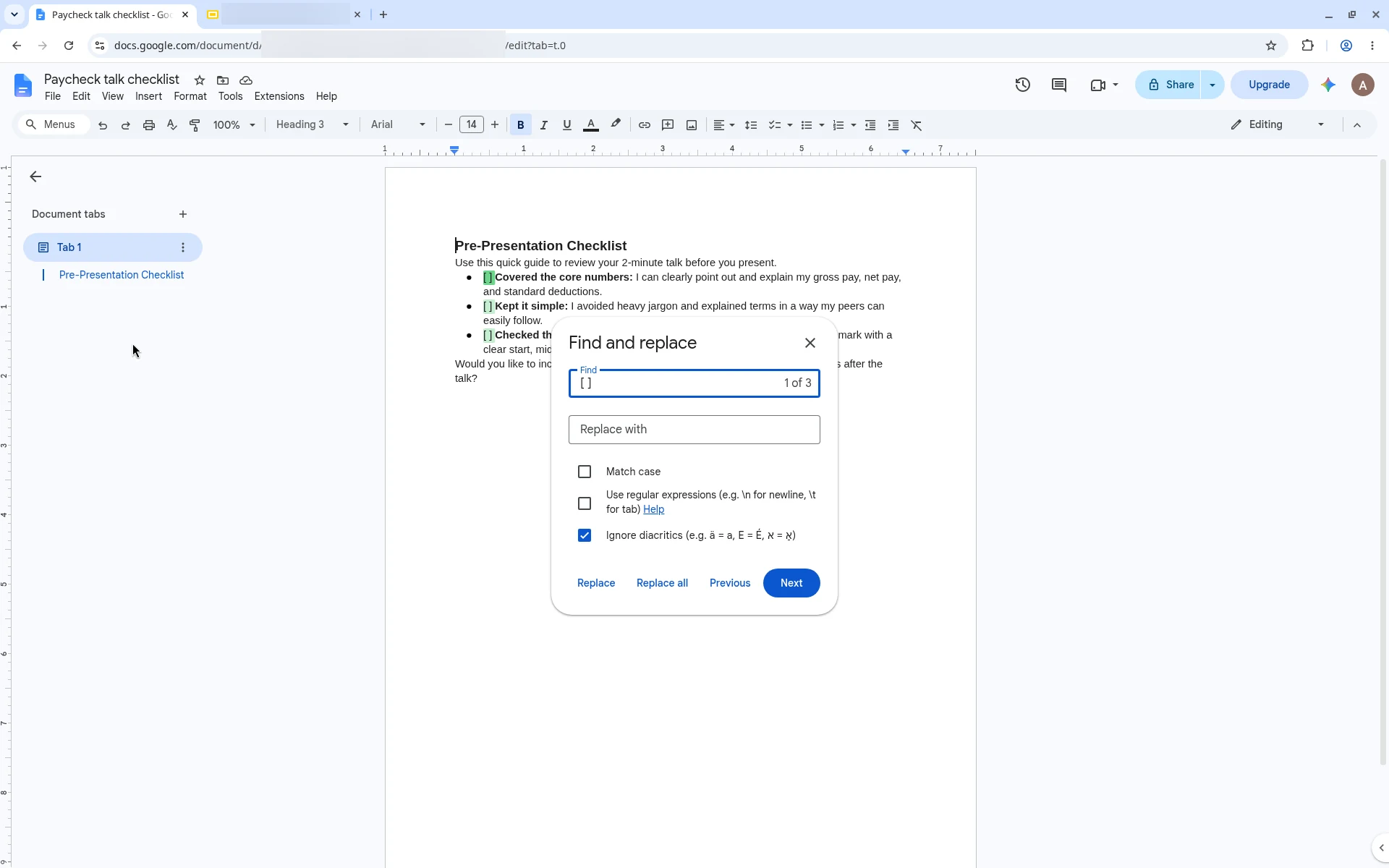
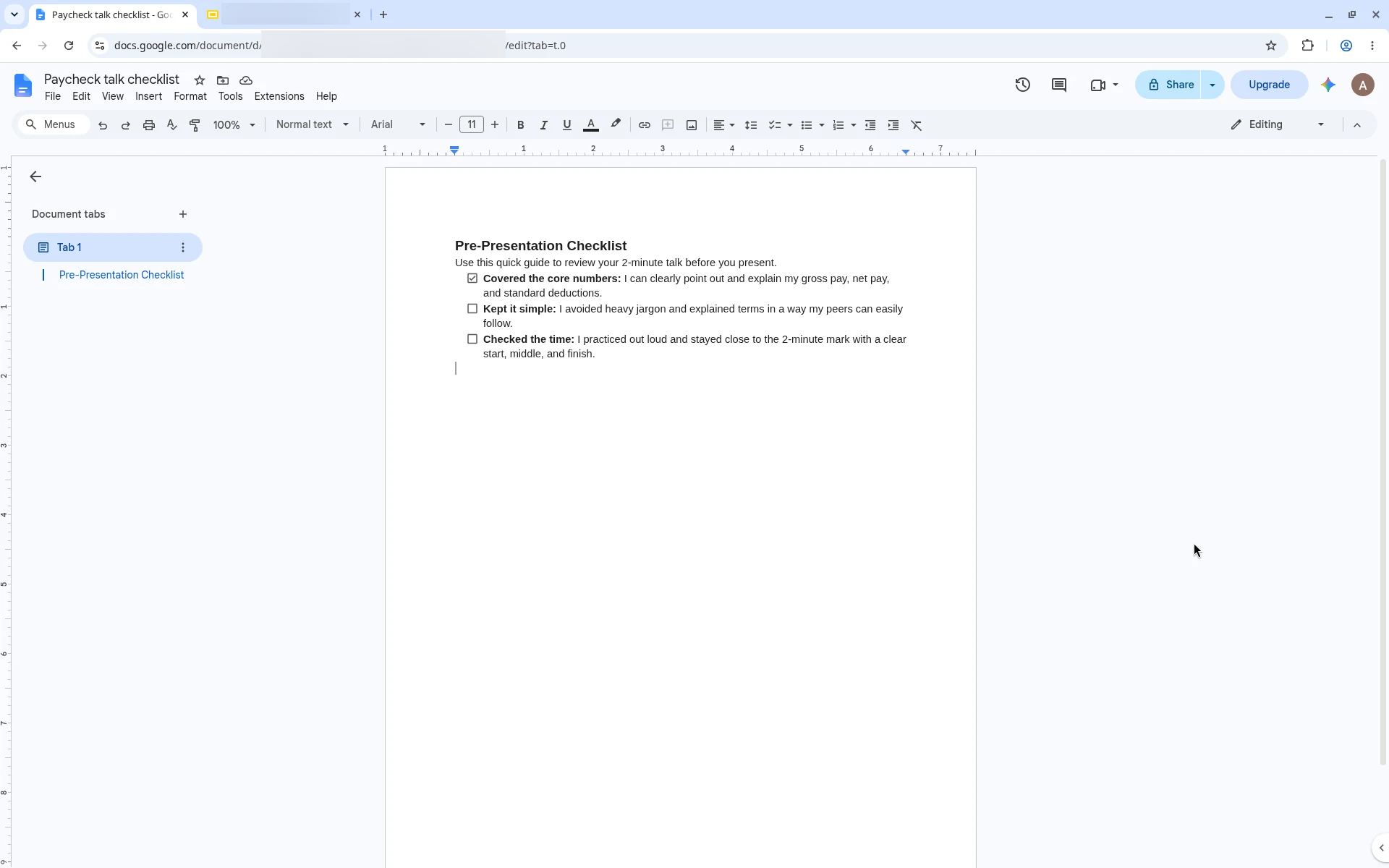
Now select the three items. Click Format, then Bullets & numbering, then Checklist. You'll see two small pictures with no labels. The first one crosses out items when they're ticked, and the second one doesn't. I picked the second, plain one. There's also a checklist button on the toolbar, just left of the bullet buttons.
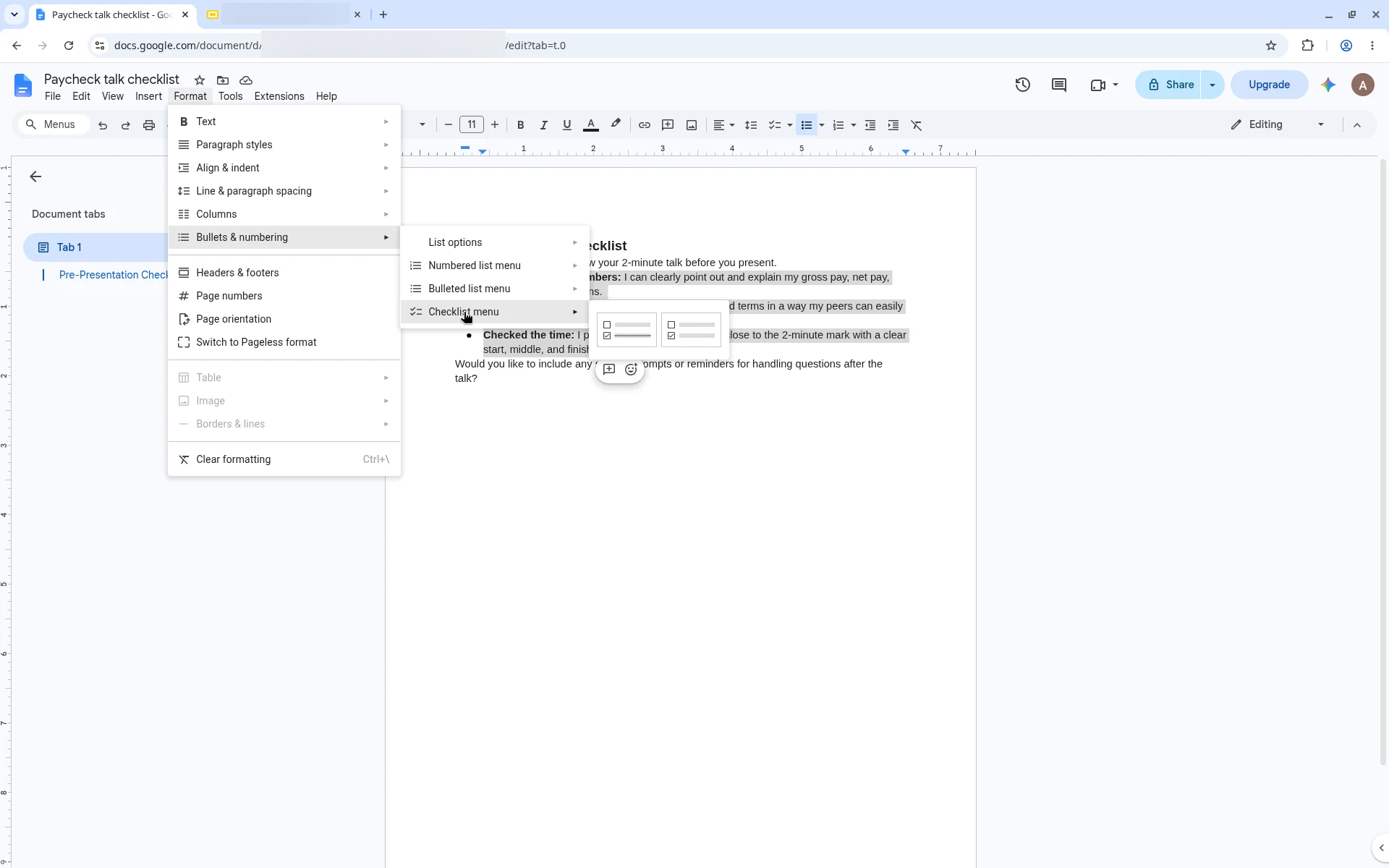
Real checkboxes appear in place of the bullets.
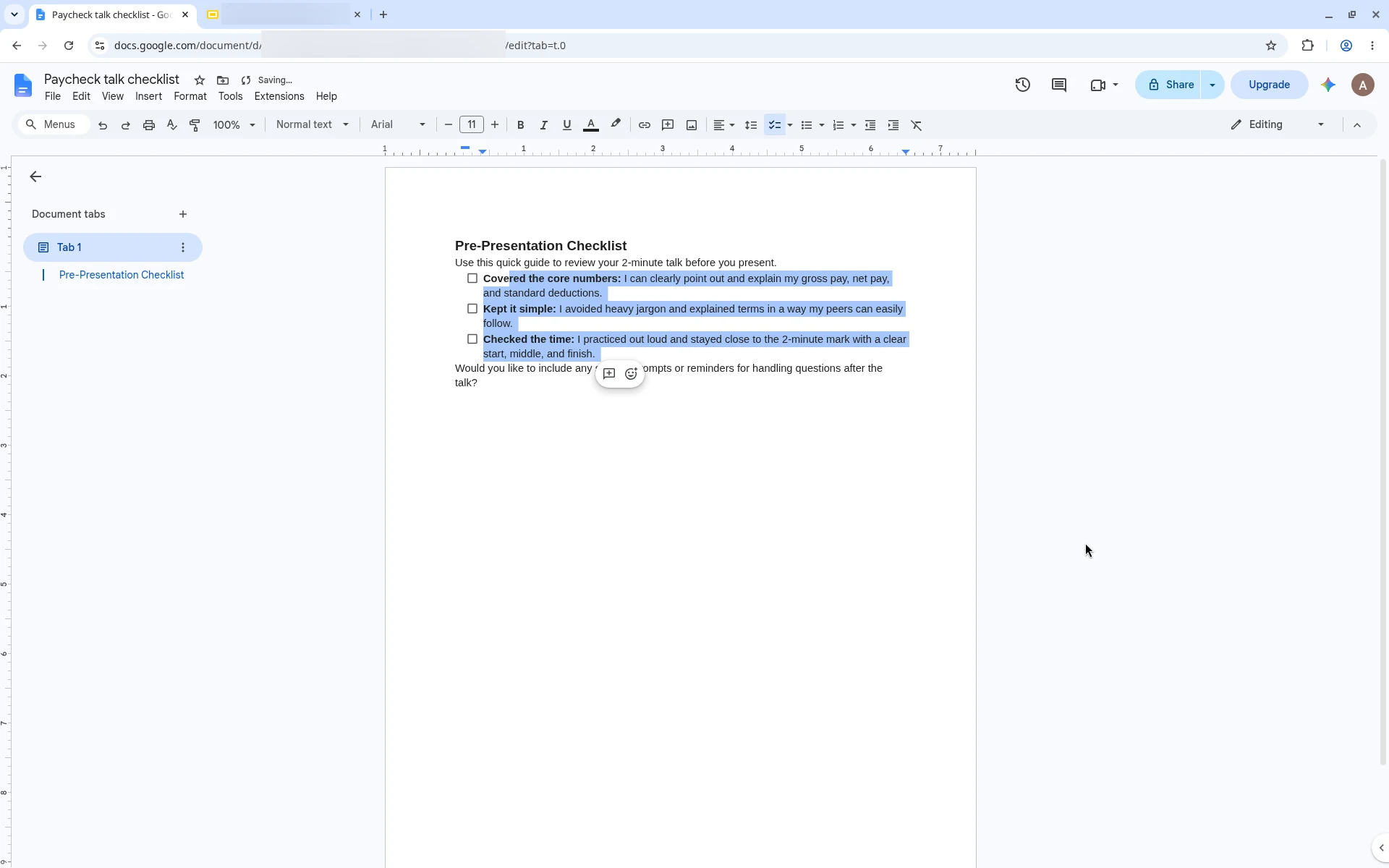
Then delete Gemini's question at the bottom, "Would you like to include any specific prompts or reminders for handling questions after the talk?" That's Gemini talking to you, not part of the handout.
Click a box and a check mark appears. Learners can tick these themselves if you share the doc, or tick them with a pen on a printout.
Fine and not fine
These are fine:
- Using a made-up example or an assignment you wrote yourself.
- Treating the rubric and checklist as first drafts that you check and change.
These are not fine:
- Putting learner names, grades, real pay details or anything private into Gemini (see Lesson 21).
- Grading people on a rubric you haven't read yourself.
At school or work
At school or work: whether you can use Gemini and Export to Docs depends on your organization's Google Workspace settings. Check with your IT team before you plan around it.
Check that you've got it
- You asked for a rubric for your own assignment.
- You read every box and changed the criteria and levels to match what you teach.
- You know what to do when an answer shows up as a jumble of symbols.
- You made a checklist your learners can use on themselves.
- You exported it to Docs, renamed it and swapped the brackets for real checkboxes.
Let’s learn together.
Comments are reviewed by Ana before they appear. Please use fictional examples and leave workplace details out.
Loading approved comments…