Is this a scam? Ask ChatGPT first
Paste a suspicious text, email or call into a temporary chat, ask if it is a scam, then stop, do not click, and call a number you already trust.
Step 4 of 5 in Everyday ChatGPT, step by step (Path 04)
Heads up: these screenshots use the ChatGPT desktop app. Everything here works on the free plan, which allows about 3 file uploads a day.
A text says your package is stuck. An email says your bank account is frozen. A caller says they're from Social Security. Your heart jumps, which is exactly what they want. Today you learn one habit: before you click, pay or call back, stop and ask ChatGPT what it thinks. Then check with a number you already trust.
Before you start
Heads up: these screenshots use the ChatGPT desktop app. Everything here works on the free plan, which allows about 3 file uploads a day. Reading or pasting the words doesn't count as an upload.
The messages here are made up and marked SAMPLE · FICTIONAL, with fake names, 555 numbers and example.com links. Practice with those.
Screenshots are from November 1, 2026, with my chat list blurred. ChatGPT moves things around, so yours may not match.
1. Start a temporary chat
Click File, then New Temporary Chat, or press Ctrl+Shift+N on Windows. On a Mac, the File menu is at the very top of the screen.
2. Get the message into ChatGPT
Easiest first:
a. Read it out loud. Click the microphone, like in Lesson 31, and say something like: "I got a text from a number I don't recognize. It says…" and then read it. That's the habit: something odd arrives, you check with ChatGPT first.
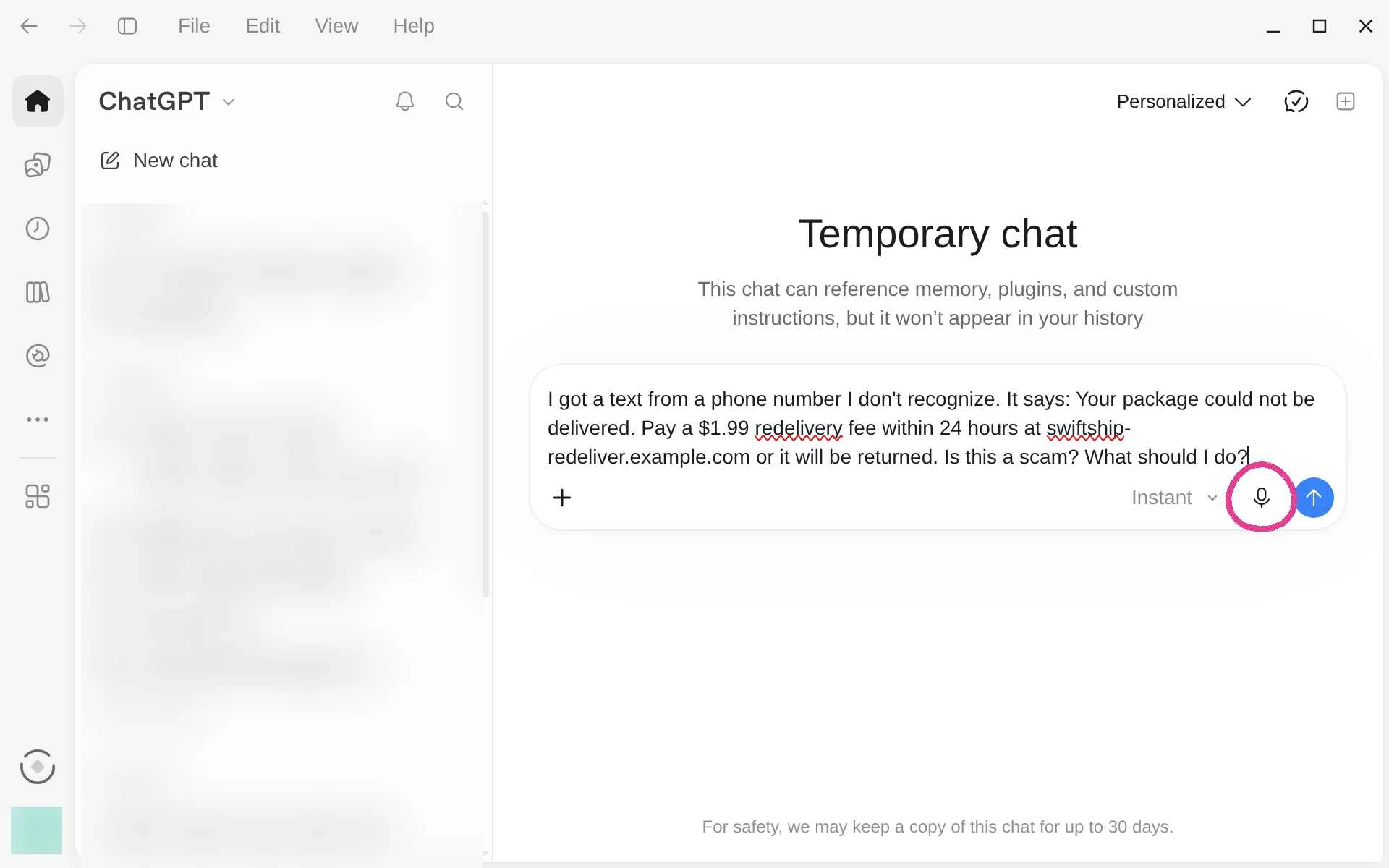
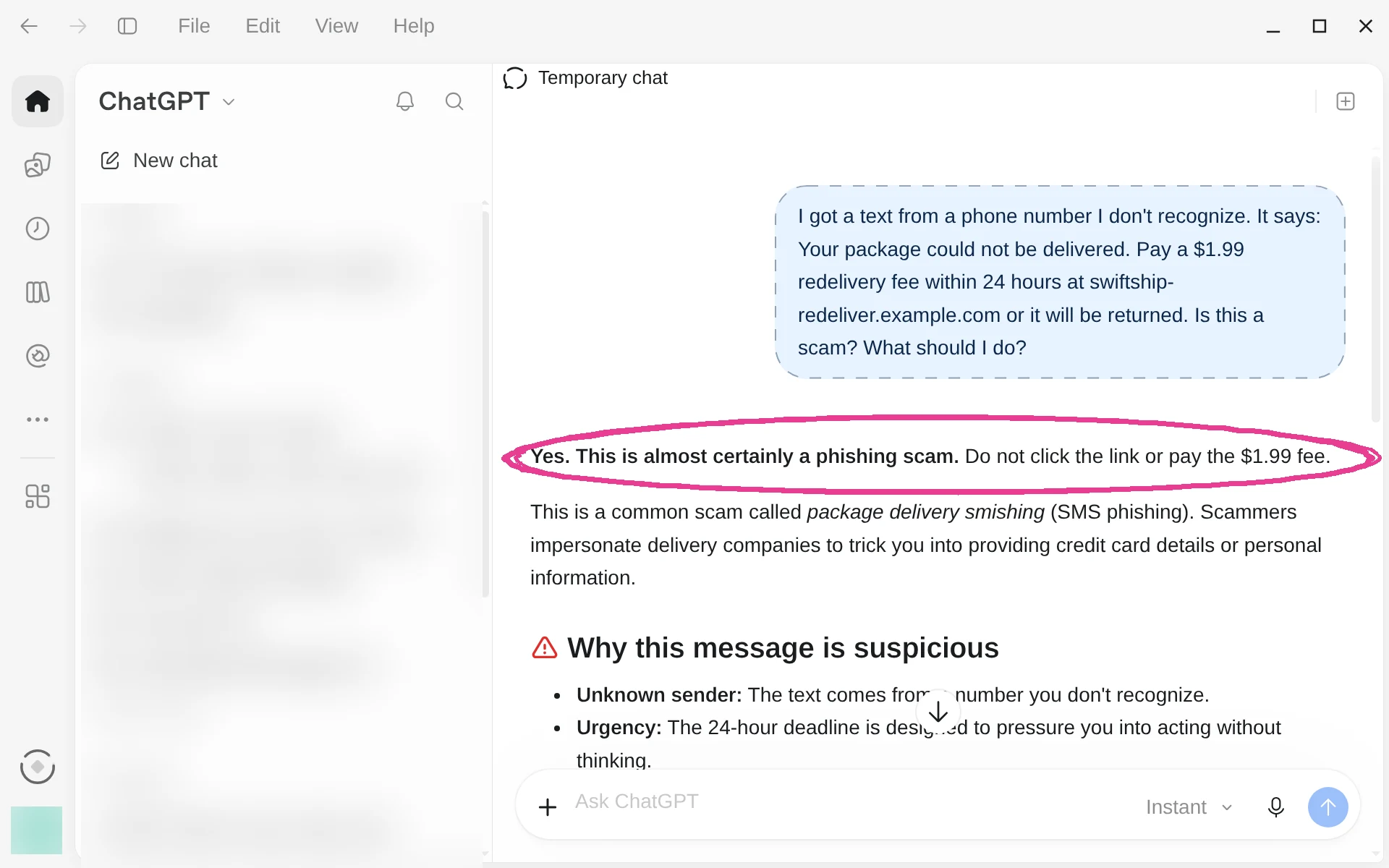
Straight to the point: almost certainly a scam, don't click, don't pay.
b. Use the ChatGPT app on your phone. Take a screenshot of the text. On most iPhones, press the side button and volume up together. On most Android phones, it's power and volume down. Then open the ChatGPT app, tap +, and pick the screenshot from your photos.
c. Send the screenshot to your laptop. Windows with an Android phone: the Phone Link app. Mac with an iPhone: AirDrop. Windows with an iPhone: Phone Link can't move photos, so use option b, or email the screenshot to yourself.
d. Type it in, word for word.
3. Add a picture of the message
If the picture is on your laptop, click the + at the left of the box, then Add photos & files, and pick it.
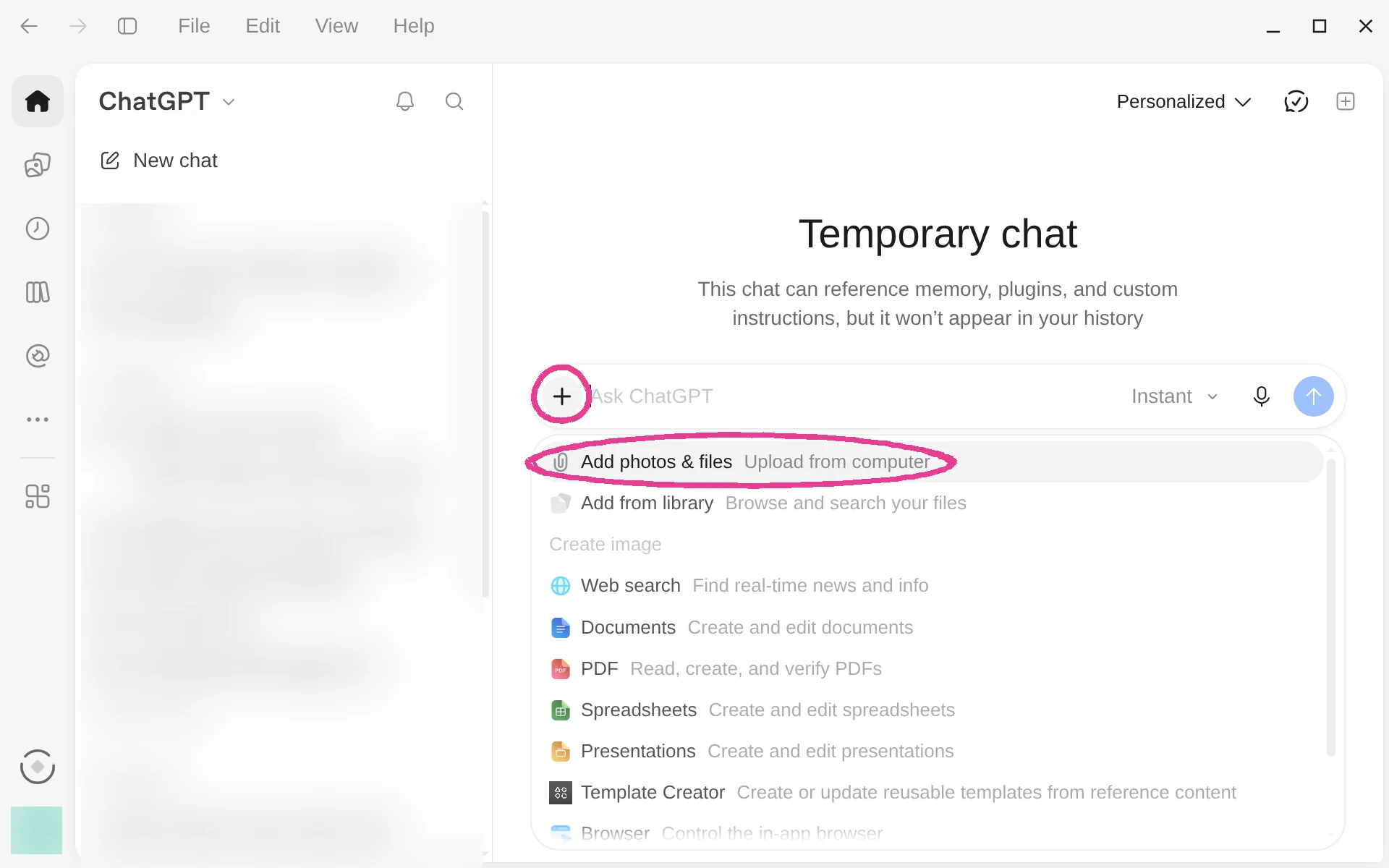
Then type your question under it. I asked, "I got this text. Is it a scam? Explain in plain words, and tell me what to do."
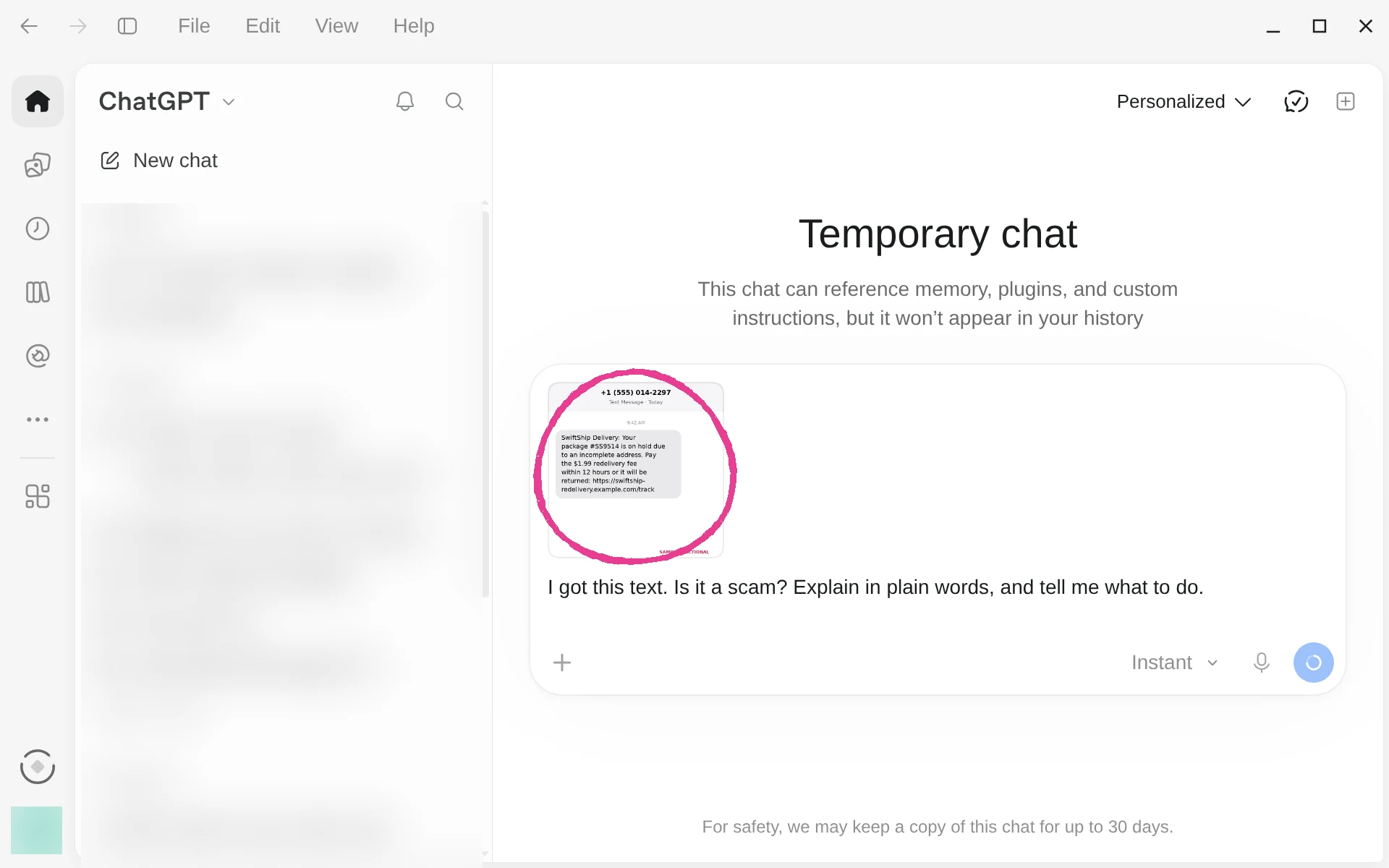
4. The package text
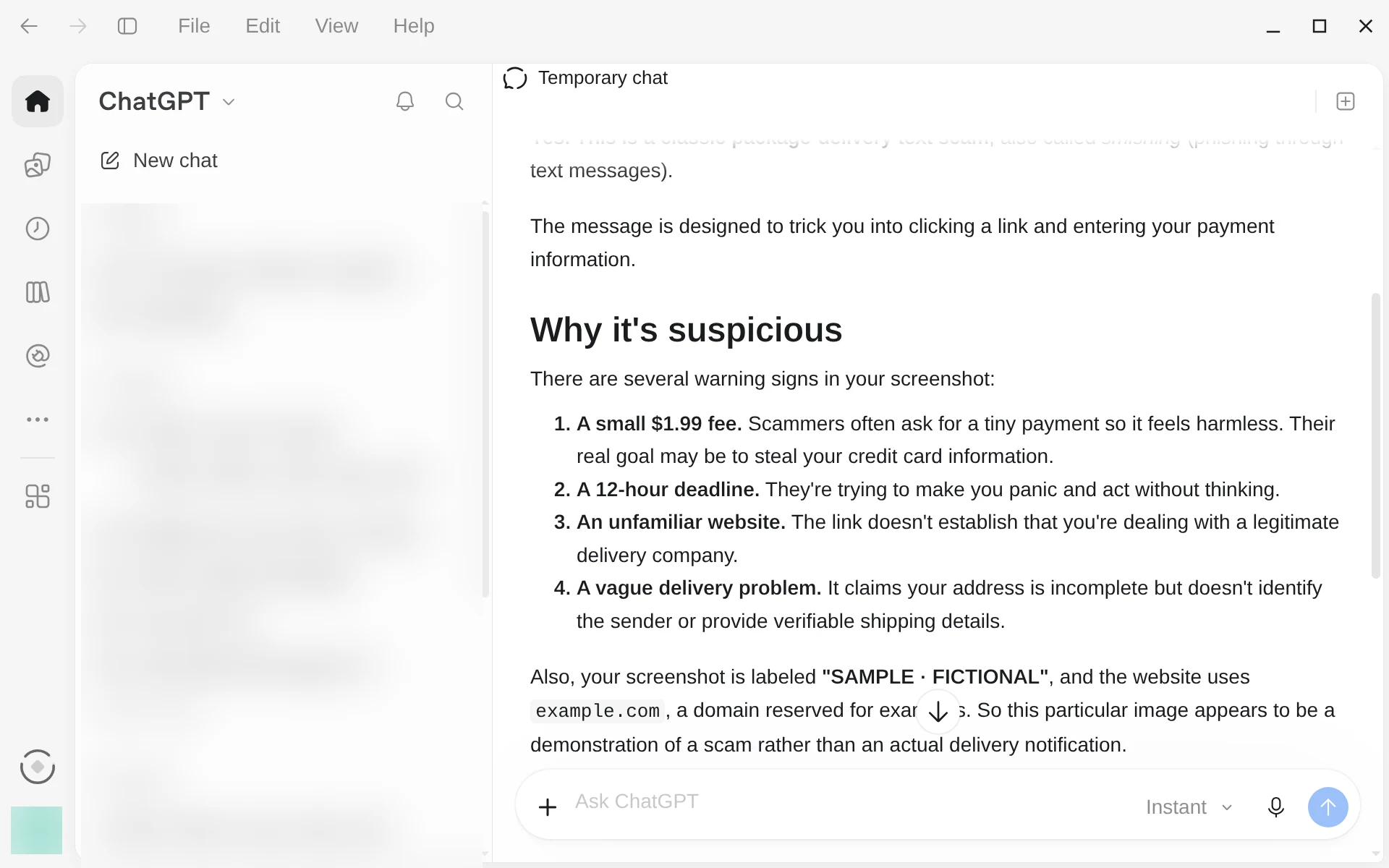
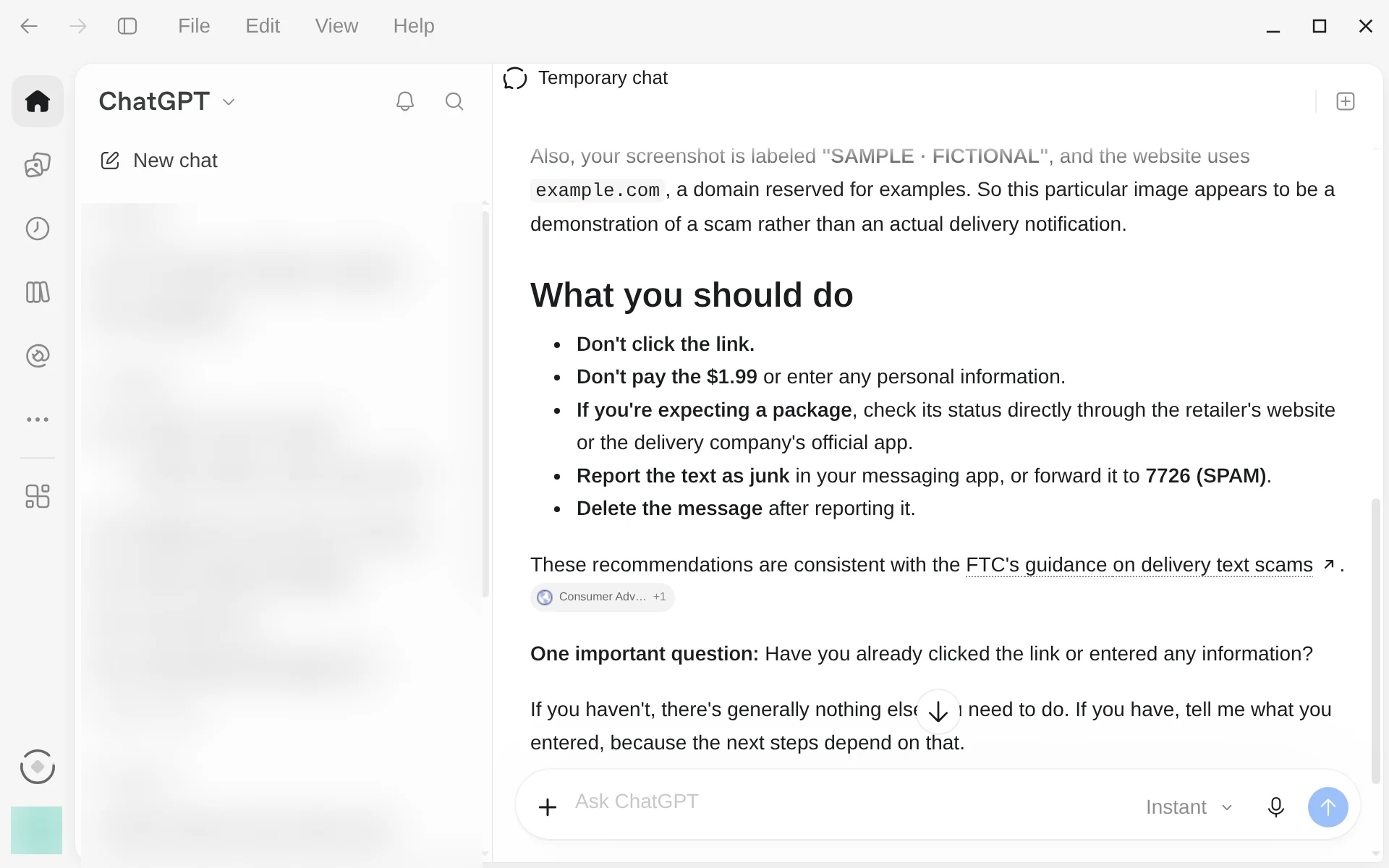
The picture version said pay $1.99 within 12 hours. ChatGPT called it a classic package delivery scam and listed the warning signs.
5. The "grandchild in trouble" text
I pasted this one in as words. "Danny" said he had a new number, was in a car accident and needed $2,400 in gift cards. And please don't tell Mom.
ChatGPT said: "This looks like a scam. Please don't send any money or buy gift cards." It called it a grandparent scam.
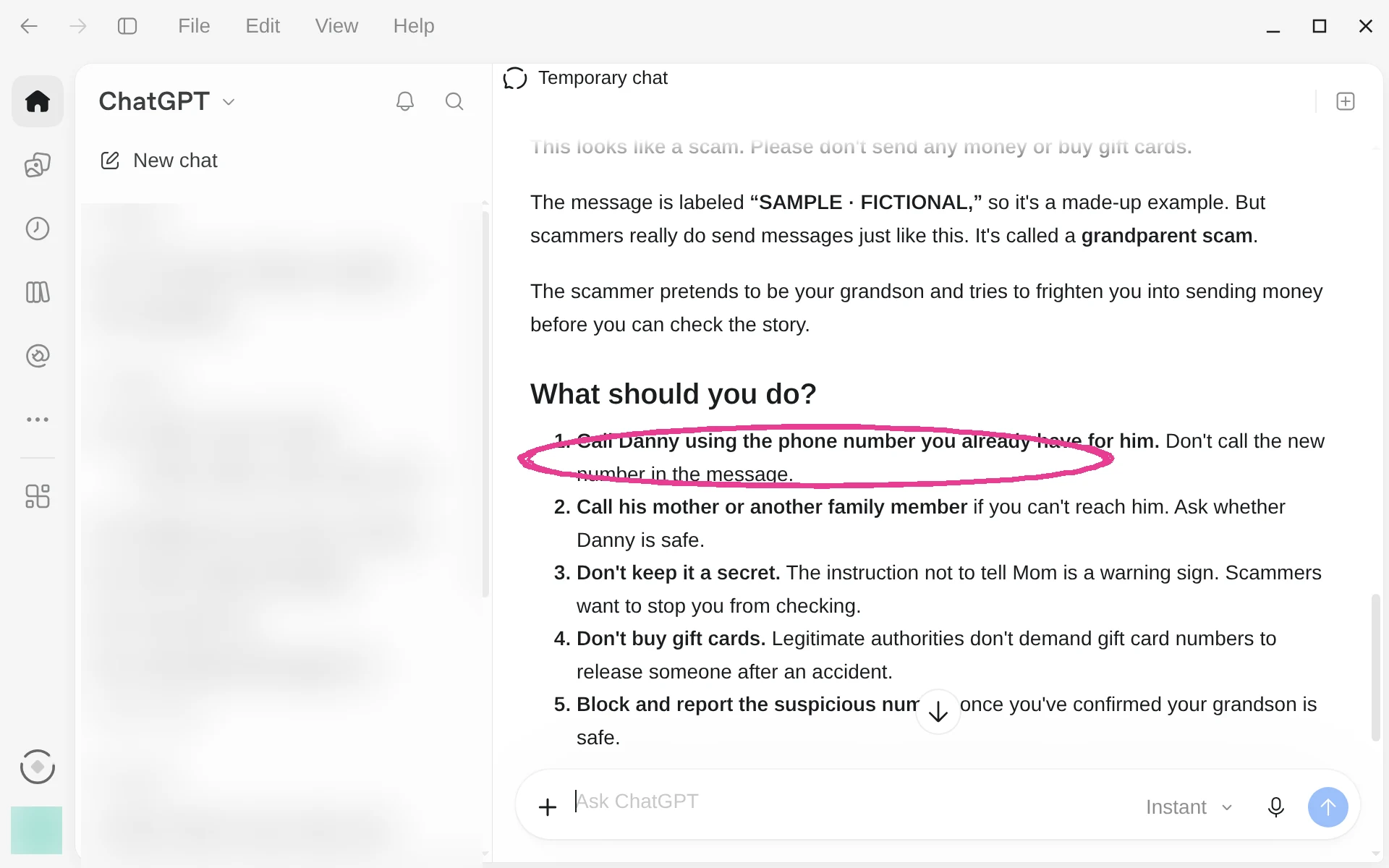
Remember step 1: call Danny on the number you already have, not the new one. "Don't tell Mom" is a warning sign all by itself.
6. The bank email
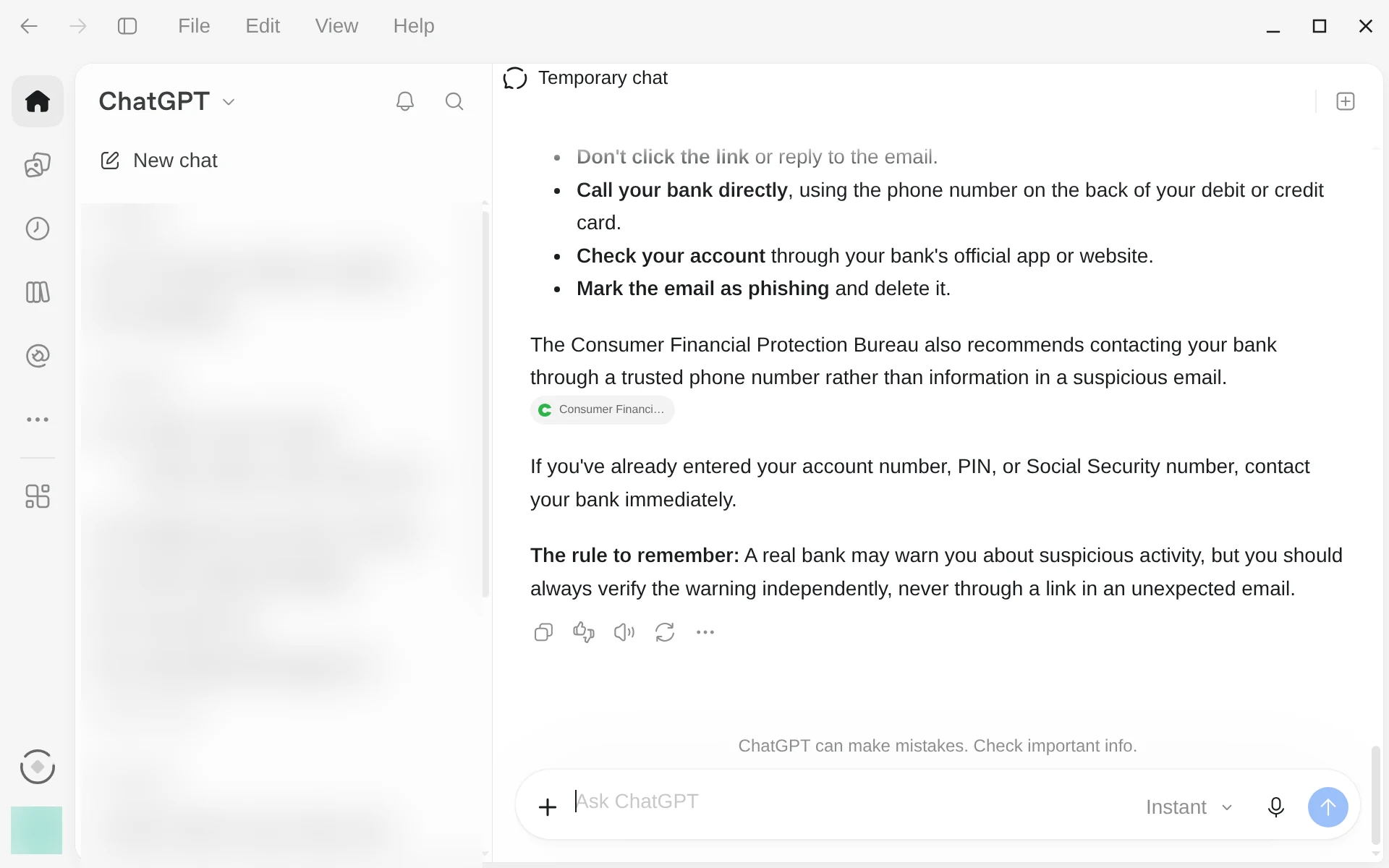
The fake email said my account was suspended and asked for my account number, PIN and Social Security number. I asked, "Is this email really from my bank? What gives it away?"
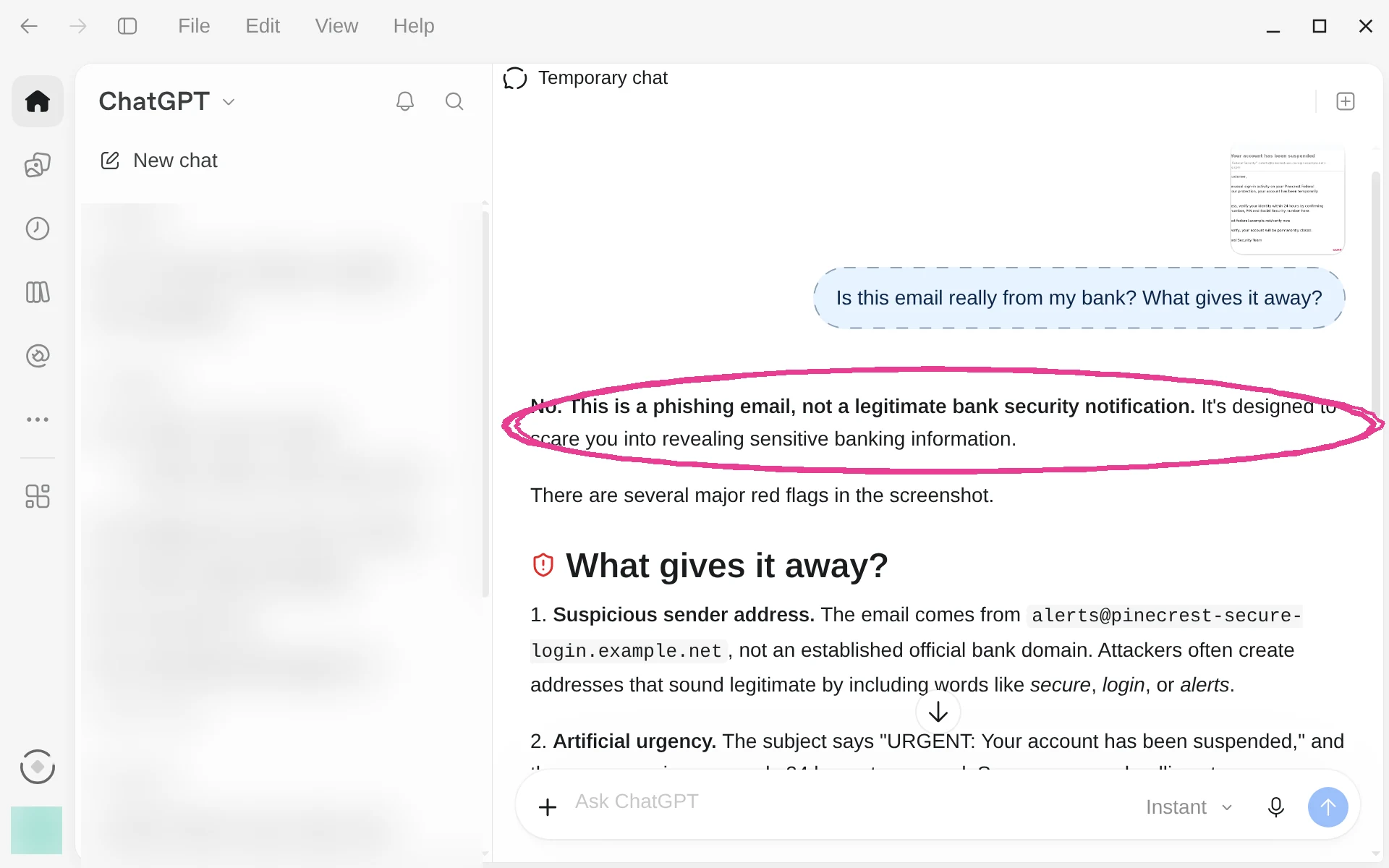
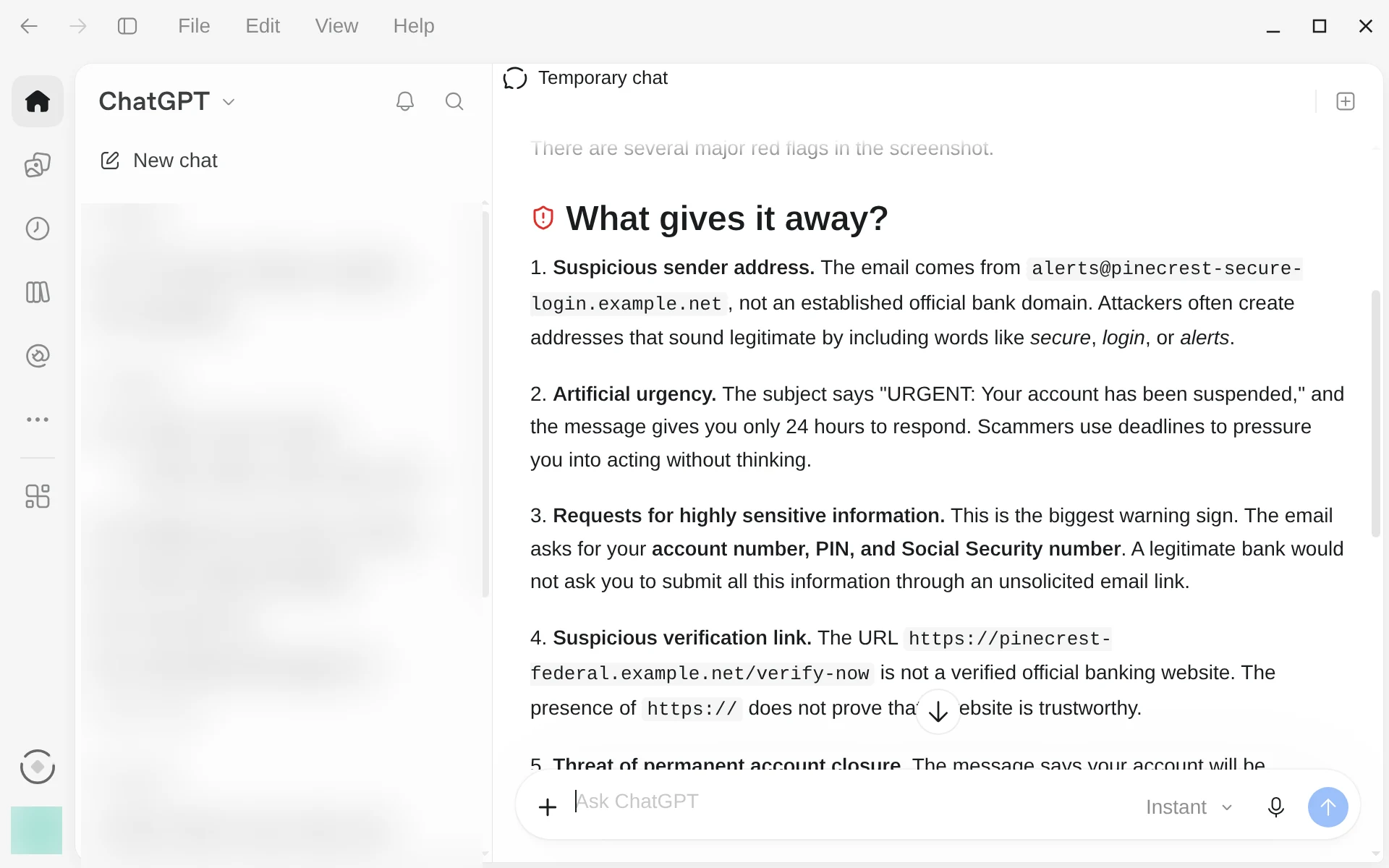
The giveaways: an odd sender address, a 24-hour deadline, and a request for your PIN and Social Security number. A real bank won't ask for those by email. Then: call the bank using the number on the back of your card.
7. The Social Security phone call
I pasted in a made-up call where "Officer Mark Davis" threatened arrest and wanted gift cards. ChatGPT said: hang up, and never give out your Social Security, Medicare or bank numbers.
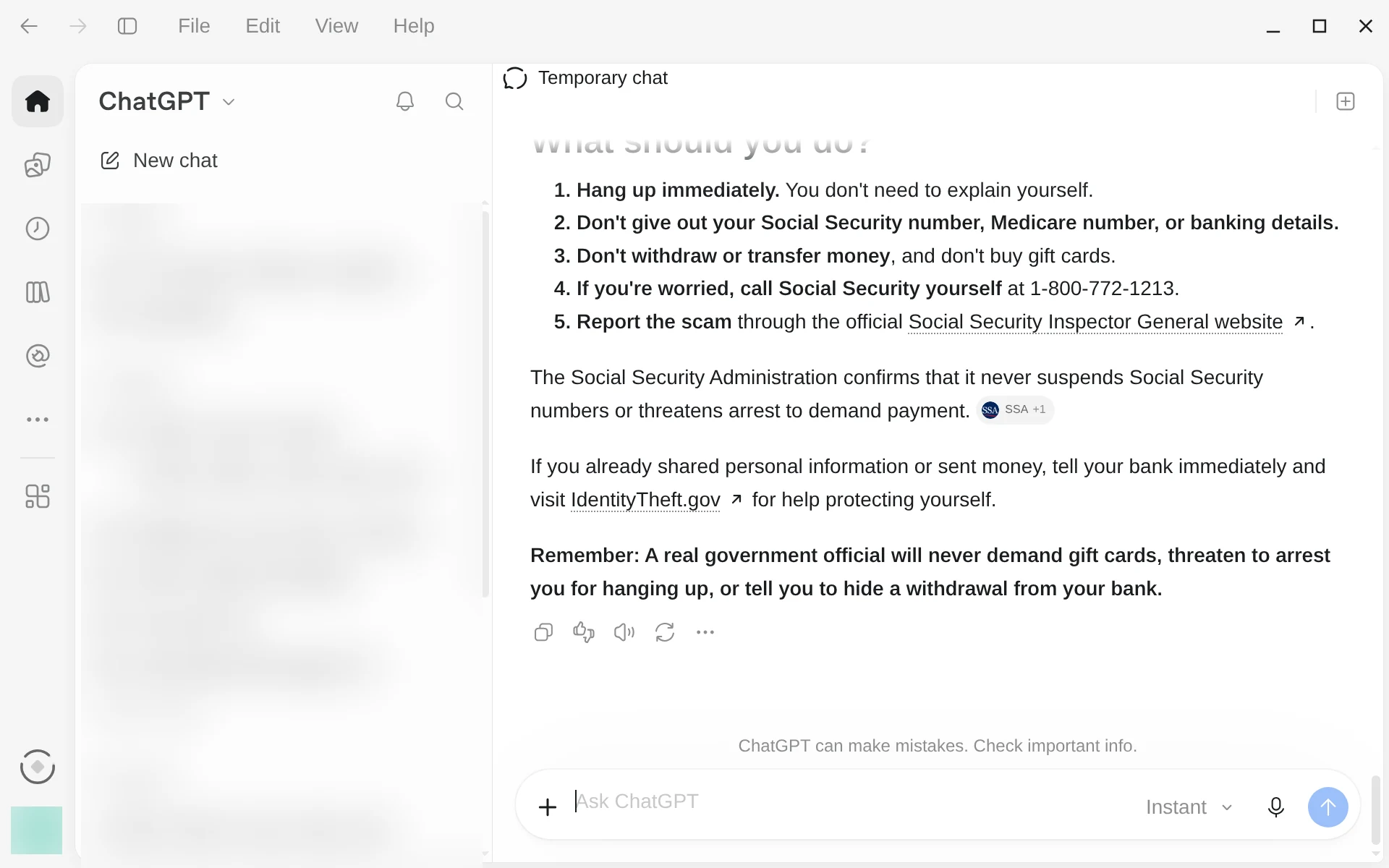
It gave Social Security's number. Double-check it on ssa.gov.
8. The real one
Not every message is a scam. I added a pharmacy text saying a prescription was ready, and asked, "And this one? Is it a scam too?"
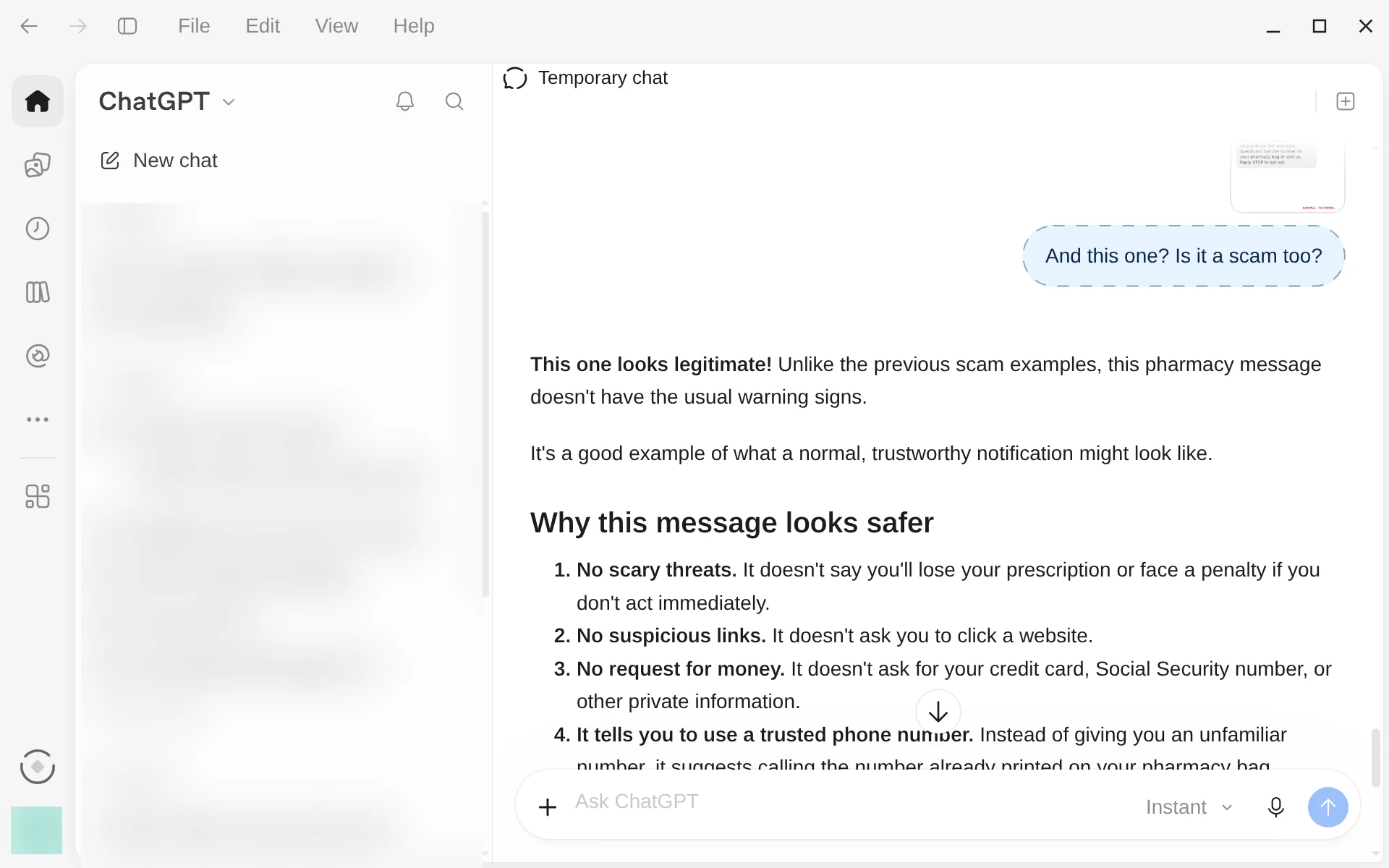
The tell: it sends you to the number already on your pharmacy bag. Real messages point you to a number you already have.
9. Get a checklist for the fridge
I asked: "Give me a short checklist I can print for spotting scams, in big simple words."
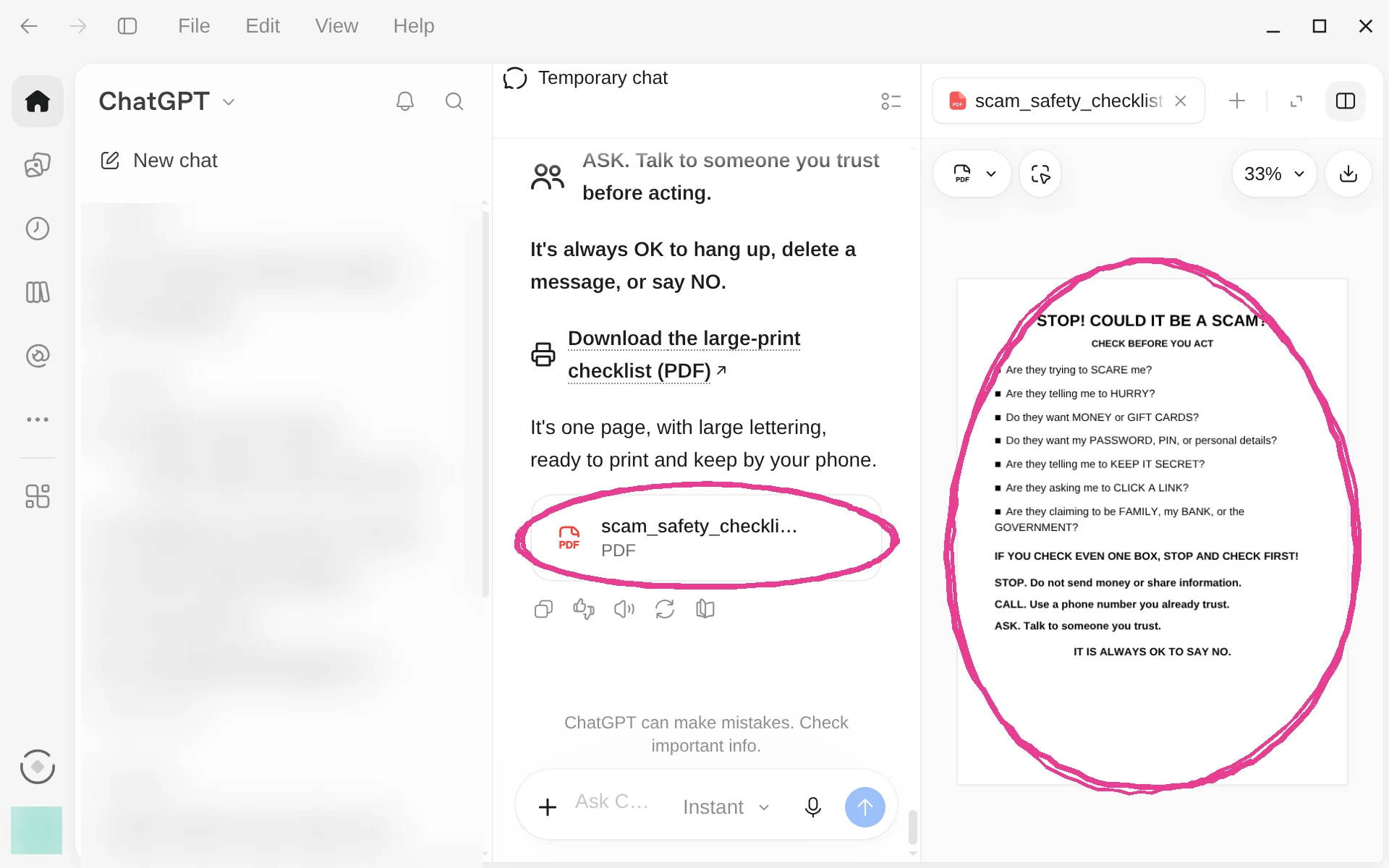
It made a one-page PDF with seven questions, like "Are they telling me to HURRY?" At the bottom: "IT IS ALWAYS OK TO SAY NO." Click the file to open it, then print it.
The habit
- Stop. Don't click, pay, or call back.
- Ask. Read it out loud, paste it or add a picture in a temporary chat.
- Call a number you already trust: the back of your card, your own paperwork, your grandson's usual number. Or ask for the family password.
ChatGPT can be wrong. It's a second opinion. The call to someone you trust is the final word.
Make a family password
Here's my favorite trick. You and your family agree on a secret word or phrase that's easy to remember, like "winter melon." If someone calls or texts saying they're your grandson and they're in trouble, ask: "What's our password?" A real grandson knows it. A scammer doesn't. Now you hold the cards.
- Choose it in person, not over text or email.
- Don't post it online.
- Make it silly and memorable, but not something someone could guess from Facebook, like a pet's name or your street.
Fine and not fine
These are fine:
- Reading out or pasting a suspicious message you got.
- Asking "Is this a scam?" as often as you like. No silly questions.
These are not fine:
- Clicking the link to "check."
- Pasting real phone numbers, links or account details from someone else's private message.
- Calling the number in the message.
At the workshop
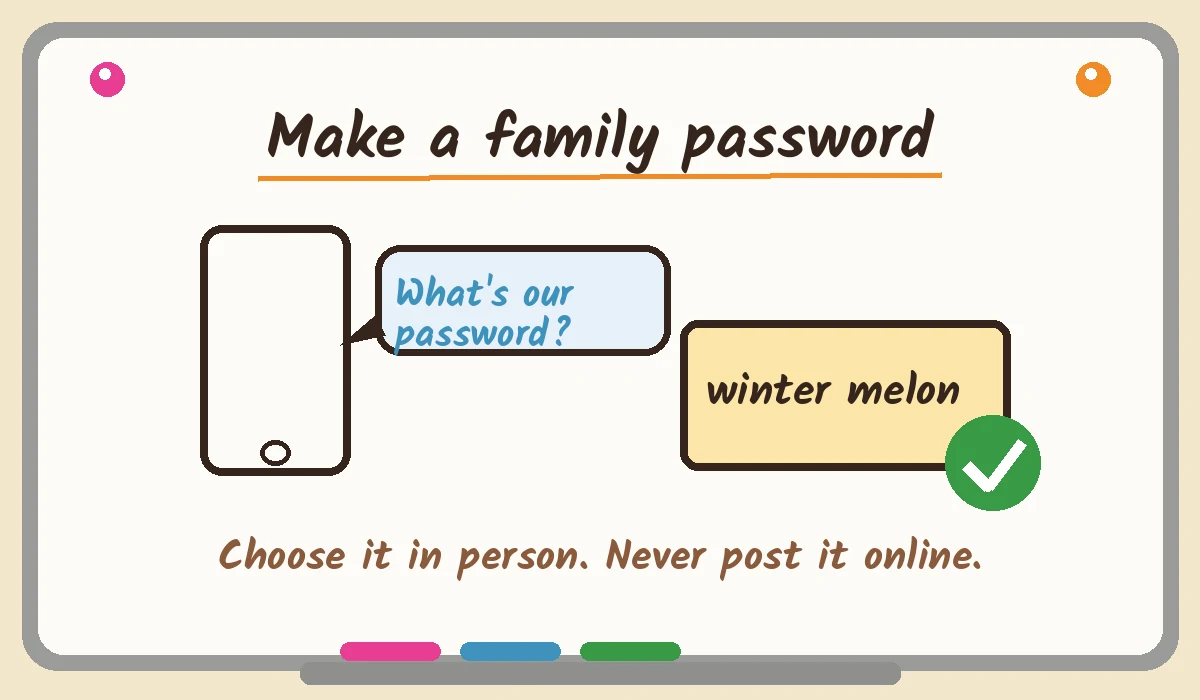
At the workshop: we practice with the SAMPLE messages only. If you'd like to check a real message on your own phone, a helper can sit with you, and you cover anything private first. Before we finish, everyone jots down a family password idea to take home and agree on, in person.
Check that you've got it
- You can read a message out loud, or add a picture with +.
- You know the warning signs: hurry, secrets, gift cards, links, asking for numbers.
- You know a real message usually points you to a number you already have.
- You have the checklist printed.
- You have a family password idea to agree on at home.
Next time, in Lesson 35, we'll make sense of a bill or a confusing letter.
Let’s learn together.
Comments are reviewed by Ana before they appear. Please use fictional examples and leave workplace details out.
Loading approved comments…